How to train your teachers on AI prompting (16-week implementation guide)
Train teachers to master AI prompting in 16 weeks with this practical guide designed to boost classroom creativity, confidence, and teaching impact.
Cheska Robinson • Dec 1, 2025
Instructional Coaching & Professional Learning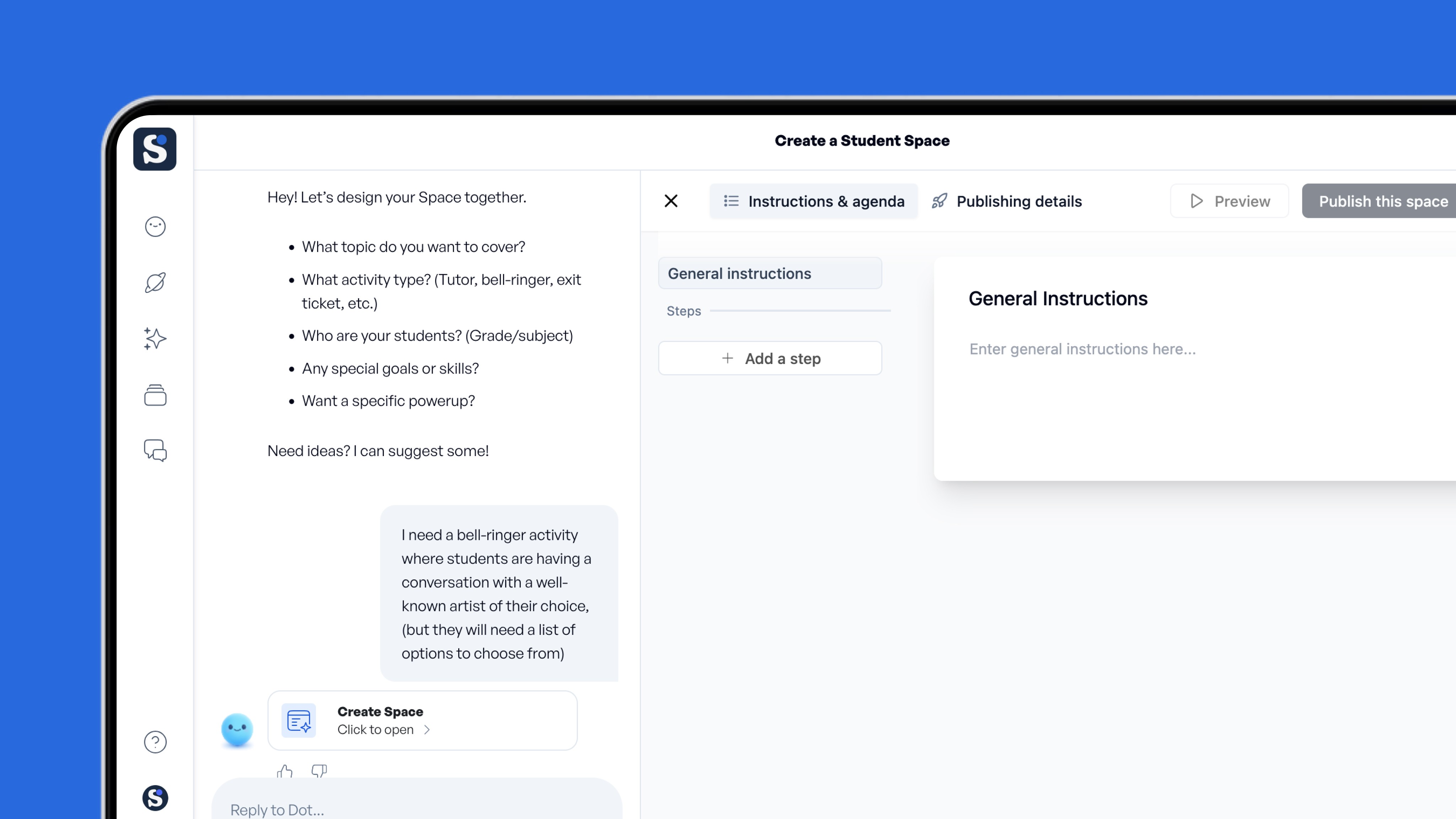
Key takeaways
-
Clear, structured prompting training helps teachers plan lessons faster, provide quicker feedback, and adapt work for every student without increasing workload
-
A 16-week, hands-on training program builds lasting teacher skills through hands-on practice rather than one-off professional development (PD) sessions
-
Avoid common mistakes like vague prompts or skipping review steps so you can provide targeted coaching when teachers need it most
-
Include equity and privacy safeguards in your training program before teachers begin using AI tools with student data
-
Integrate peer coaching phases to multiply impact without straining your PD budget
Artificial intelligence is being rapidly integrated into classrooms across the country. Teachers use chatbots to draft worksheets, summarize student essays, and translate directions in real time. Early studies show AI-supported lessons can personalize instruction, matching pace and format to students' needs.
Districts that invest in structured AI prompting training see teachers save several hours weekly on planning and differentiation. However, fewer than half of U.S. districts offer any AI professional development, a figure that drops even lower in high-poverty schools (EdWeek, 2025).
As an administrator, you face a critical decision: how to prepare your teachers for AI integration while maintaining instructional quality and managing limited PD budgets.
This guide is a step-by-step, 16-week implementation plan that builds lasting teacher skills without overwhelming staff or stretching resources.
What teachers need to know about AI prompting fundamentals
Your training program should start with five core principles that help teachers write effective prompts. When teachers understand these elements, they can generate classroom-ready materials in minutes rather than hours, adapting generic AI outputs into customized lessons.
The 5 core elements to teach
Guide your teachers to focus on:
-
Specificity: Include grade level, subject, standard, and desired output format
-
Structure: Break requests into logical steps or sections for clarity
-
Scope: Set clear boundaries for length, depth, or time limits so results stay manageable
-
Style: Name the voice, tone, or accessibility level appropriate for your learners
-
Scaffolding: Request supports like sentence frames, examples, or visual aids to enhance accessibility
Teach teachers to start each prompt with role-setting. For example, "You are an experienced 5th-grade math teacher" yields vocabulary and pacing appropriate with the context. Encourage teachers to test several role variations to see which produces the most relevant and student-appropriate results.
Where prompting training delivers immediate value
Focus your early training sessions on three high-impact areas where teachers see instant and measurable results:
-
Lesson planning: Teachers generate outlines, materials, and differentiation options in minutes, reducing planning time each week
-
Assessment design: Teachers request quizzes, rubrics, and exit tickets that map directly to learning objectives
-
Feedback and reflection: Teachers produce growth-focused comments and reteaching strategies for improving feedback cycles
Encourage teachers to ask follow-up questions to improve AI outputs for quality and alignment. Help teams create shared prompt libraries so colleagues can build on proven prompts rather than starting from scratch.
Advanced prompting techniques to include in training
Once teachers can write clear, standards-aligned prompts, introduce four advanced techniques that help them get more consistent, higher-quality results.
1. Chain-of-thought prompting
Teach teachers to walk the AI through tasks step by step. Instead of prompting "Create a project-based unit on ecosystems," guide them to try: "First, list three essential questions, then outline weekly checkpoints, then suggest a hands-on lab."
2. Iterative refinement
Help teachers view each AI exchange as a draft, not a final product. After AI offers a unit plan, teachers should review it and request improvements, such as adding culturally relevant examples, adjusting timing, or expanding scaffolds.
3. Meta-prompts
Show teachers how to let AI critique their own prompts to improve precision. Example: "Improve this prompt so it yields differentiated reading passages for mixed-ability 5th graders." This surfaces missing details, such as Lexile range, reading genre or text format.
4. Reverse prompt engineering
Encourage teachers to ask AI: "What additional information do you need to write an engaging debate lesson?" Then have them fill in the blanks AI provides. This strengthens teachers' understanding of contextual details that produce effective prompts.
Common prompting mistakes admins should watch for
As you roll out AI prompting training, watch for these common patterns that signal teachers need more support:
-
Writing vague prompts: "Make a worksheet" instead of "Create a 10-question worksheet on photosynthesis for 8th grade with answer key"
-
**Accepting the first response: **Teachers may skip iteration and review, leading to lower-quality outputs
-
**Omitting grade level or standards: **Missing the context AI needs to generate age-appropriate, curriculum-aligned materials
-
Skipping review: Teachers might share AI-generated content without checking for accuracy, bias, or appropriateness.
When you notice these issues during classroom walkthroughs or shared planning reviews, schedule brief, targeted coaching sessions rather than waiting for formal PD. Real-time feedback helps teachers refine their prompting habits before they solidify.
Sample prompt rubric for coaches to use
Equip your instructional coaches with this clear, classroom-focused rubric to evaluate teacher prompts during training sessions:
Does it include role, task, format, and constraints? Strong prompts set context ("You are a 3rd-grade teacher"), define the task clearly ("Create a 3-page handout"), and include boundaries ("Keep vocabulary at grade level").
Is it specific enough for classroom use? Check for grade level, subject, standards alignment, and any differentiation needs (e.g., Lexile bands, language supports, accommodations).
Does it reflect the teacher's instructional goals? The prompt should explicitly connect to learning objectives, assessment criteria, or unit themes and name the target misconception or skill when relevant.
Has the teacher planned for iteration? Strong prompts embed follow-up steps (e.g., "Revise with two culturally relevant examples," "Shorten to 15 minutes," "Generate checks for understanding.") This signals that AI outputs will be reviewed and adjusted.
This rubric works best as a conversation starter, not an evaluation tool. Use it during peer coaching sessions where teachers can practice, get feedback, and refine their prompting skills in short cycles.
Building equity safeguards into your training program
Even perfect prompts fail if they produce content that reinforces stereotypes or mishandles data. Build these equity and privacy checkpoints into your training program before teachers start generating AI content for students.
Key review steps teachers should complete
Train teachers to run through these checks before sharing any AI-generated content with students:
-
Scan for bias: Teachers should look for gender, cultural, or ability assumptions embedded in examples or language
-
Fact-check claims: Verify statistics, quotes, and historical claims against trusted sources
-
Filter privacy: Remove student names, identifiers, and sensitive details from any content used to generate AI responses
-
Confirm age-appropriateness: Check reading level and content maturity against student developmental stages
-
Request accessible formats: audio descriptions, large-print alternatives, captions, or simplified language versions
-
Document everything: Save prompt-response pairs so colleagues can review, iterate, and improve them over time
Emphasize throughout training that teachers remain the final editors. This human-in-the-loop model keeps professional judgment front and center.
Prompting for inclusive content
Recent research highlights the importance of addressing AI bias and ensuring equitable access to AI tools across all student populations. Train teachers to actively include diverse perspectives and cultural contexts when crafting prompts.
Show this comparison during training:
Weak prompt: "Create a math word problem about shopping."
Strong prompt: "Create three math word problems about shopping that reflect diverse family structures, cultural celebrations, and economic contexts, ** and include one multilingual option.**"
The second prompt guides AI toward inclusive, culturally relevant outputs that help all students see themselves in the curriculum.
Protecting student data and privacy
When teachers use AI tools with student information, privacy protection is non-negotiable. Make data privacy a foundational element of your training program, not an afterthought.
Before prompting with student work, train teachers to remove student names (replace with codes), school identifiers, and any details that could trace back to individual children, and avoid specific dates or events that, combined with other information, could identify students.
Remind staff to review vendor agreements and use tools that comply with FERPA and COPPA before entering any student data.
Review district AI policies before training begins
Before launching your training program, review your district's acceptable use policy and confirm it addresses AI tools. Many schools now require vendor agreements that comply with FERPA and COPPA before teachers can use any AI platform with student data.
Share these policies clearly during early training sessions, and provide teachers with a decision tree to determine when student information can be safely used with AI tools. Provide a one-page checklist for quick reference during planning.
16-week sustainable training program structure
Rolling out AI prompting training requires a structure that respects teachers' packed schedules while building skills that stick. This 16-week program moves in small, logical stages and delivers instant wins that build momentum.
Phase 1: Foundations (Weeks 1-4)
Focus these early sessions on prompting fundamentals. Teachers learn to write clear standards-aware prompts that include grade level, standard, and product format so AI outputs arrive classroom-ready.
Structure: Run 30-minute micro-sessions during existing planning periods paired with quick practice in a shared digital workspace.
Deliverable: Each teacher writes and tests 3-5 foundational prompts for their most time-intensive planning tasks (e.g., lesson outlines, reading questions, feedback starters).
Phase 2: Applied labs (Weeks 5-8)
Shift to real classroom scenarios. Teachers generate exit tickets, rewrite reading passages for multiple levels, and draft feedback comments using prompts that mirror their daily tasks.
Structure: 45-minute hands-on labs where teachers bring actual planning challenges and work through prompting solutions with peer feedback. These labs can replace or integrate into existing grade-level or department planning meetings.
Deliverable: Teachers build a personal prompt library with at least 10 tested, refined prompts they can reuse and adapt throughout the year.
Phase 3: Peer coaching (Weeks 9-12)
Teachers share working prompts in small groups to multiply benefits. This phase fills a critical gap in professional development identified by research: ongoing peer support that keeps equity considerations visible.
Structure: 30-minute peer coaching sessions built into professional learning community (PLC) time. Each teacher shares one successful prompt and one challenge, then receives actionable feedback from colleagues.
Deliverable: Department or grade-level teams create shared prompt libraries with brief annotations and documented use cases so effective language spreads naturally across your staff.
Phase 4: Trainer development (Weeks 13-16)
Identify 3-5 teacher leaders who can serve as ongoing AI prompting coaches. These volunteers collect effective prompts, record short screencasts, and run refresher sessions that create internal expertise that outlives any single workshop.
Structure: Provide these teacher leaders with two hours of dedicated planning time to create support resources. Schedule monthly check-ins where they can share emerging questions and exemplars.
Deliverable: A sustainability plan including a living prompt library, a schedule for quarterly refresher sessions, and identified point people for ongoing support.
This step-by-step approach works because it respects the rhythm of a semester. Attach each stage to existing professional development or planning time rather than adding new requirements to teachers' schedules.
Measuring training program effectiveness
Make your training program last by tracking meaningful indicators and adjusting based on what you learn.
Track these success indicators
-
Time saved on weekly lesson planning and material creation (survey teachers monthly)
-
Number of differentiated resources created per unit (compare before and after training)
-
Teacher confidence ratings when using AI tools (pre- and post-training surveys)
-
Quality of AI-generated materials after teacher review (use the rubric with your coaches)
-
Student engagement levels in lessons using AI-supported materials
Keep measurements simple: a brief monthly survey asking teachers to estimate time saved and rate their confidence provides actionable data without causing survey fatigue.
Overcome implementation challenges
Address predictable challenges proactively:
Teacher resistance: Pair hesitant teachers with instructional coaches during applied lab phases and emphasize that teachers, not AI, make all final instructional decisions. Frame prompting is a time-saving skill that supports small-group instruction and relationship building.
Schedule constraints: Build practice into existing planning blocks and PLC meetings rather than requesting after-school sessions.
Uneven skill levels: Differentiate training: foundational supports for beginners and stretch tasks for early adopters.
Budget limitations: The peer-coaching phase builds internal expertise, reducing dependence on external consultants or paid programs.
Practice AI prompting with SchoolAI tools
Training programs work best when teachers can practice prompting in authentic classroom contexts with immediate feedback. SchoolAI provides tools designed to help teachers build prompting confidence through hands-on, low-stakes practice rather than theory alone.
Spaces for prompt practice and iteration
Teachers can craft and test prompts directly in Spaces, where they see results appear instantly as interactive, standards-aligned lessons. For example, when a teacher asks Dot, the built-in assistant, to "create three reading groups with different text levels," the lesson appears in seconds, automatically differentiated for learners.
This instant feedback loop helps teachers refine their prompts, compare variations and understand cause-and-effect between prompt wording and output quality. Each Space acts as a live learning lab where teachers can experiment, iterate, and develop strong prompting habits.
My Space for low-stakes experimentation
My Space gives teachers a private, judgment-free environment where they can experiment with prompt ideas, store effective phrasing, and organize prompt libraries.
This protected workspace makes it easier for teachers to take creative risks and test advanced prompting techniques before using them with students. It also helps educators build a personal archive of successful strategies to share later in peer coaching sessions.
PowerUps for format-specific prompting
Powerups are interactive training tools that help teachers master format-specific prompting, such as flashcards, presentations, and graphing activities.
When teachers use PowerUps, they see exactly how to structure a prompt for a desired content format. Each PowerUp includes Dot, a real-time coach that guides teachers to refine wording for clarity, accessibility, and alignment with standards.
This approach helps teachers build pattern recognition and understand how different prompt structures produce different educational outcomes.
Mission Control for understanding prompt impact
Mission Control shows real-time insight into how well teacher-created prompts perform during instruction. Teachers can see which AI-supported activities engage students, where confusion arises, and how to tweak prompts for better learning outcomes.
This feedback loop helps educators make data-informed adjustments and understand the connection between prompt quality and student engagement. Importantly, teachers remain in complete control. SchoolAI surfaces insights, but instructional decisions always stay with the educator.
Support teachers in developing AI prompting expertise
Training teachers to write effective AI prompts reshapes how they plan lessons, differentiate instruction, and assess learning, while keeping teacher judgment central.
The 16-week program outlined here builds practical, sustainable skills that integrate easily into existing PD time, no extra meetings or added workload required.
Focus your implementation on three priorities:
-
Start with clear foundations that give teachers early wins.
-
Embed peer coaching to multiply success across the staff.
-
Build equity and privacy safeguards before teachers begin using AI with student data.
Ready to strengthen AI prompting skills across your teaching staff? Explore SchoolAI's educator-designed Spaces, PowerUps, and support resources to help teachers practice, collaborate, and lead with AI, confidently and responsibly.

About the author
Cheska Robinson
Education Specialist at SchoolAI, Former Instructional Technology Specialist
Cheska started her career as a science teacher, where hands-on learning and student curiosity shaped how she thinks about great classrooms. At SchoolAI, she partners with educators exploring practical, people-first ways to bring AI into their teaching, building professional learning that feels approachable, rooted in real classroom needs, and focused on keeping learning personal.
Transform your teaching with AI-powered tools for personalized learning
See how every student is doing, and know what to do next.