AI writing assistants comparison: Why purpose-built tools outperform general LLMs
Explore an AI writing assistants comparison that highlights why purpose-built educational tools outperform general LLMs for teaching and learning.
Stephanie Howell • Jan 30, 2026
Personalized Learning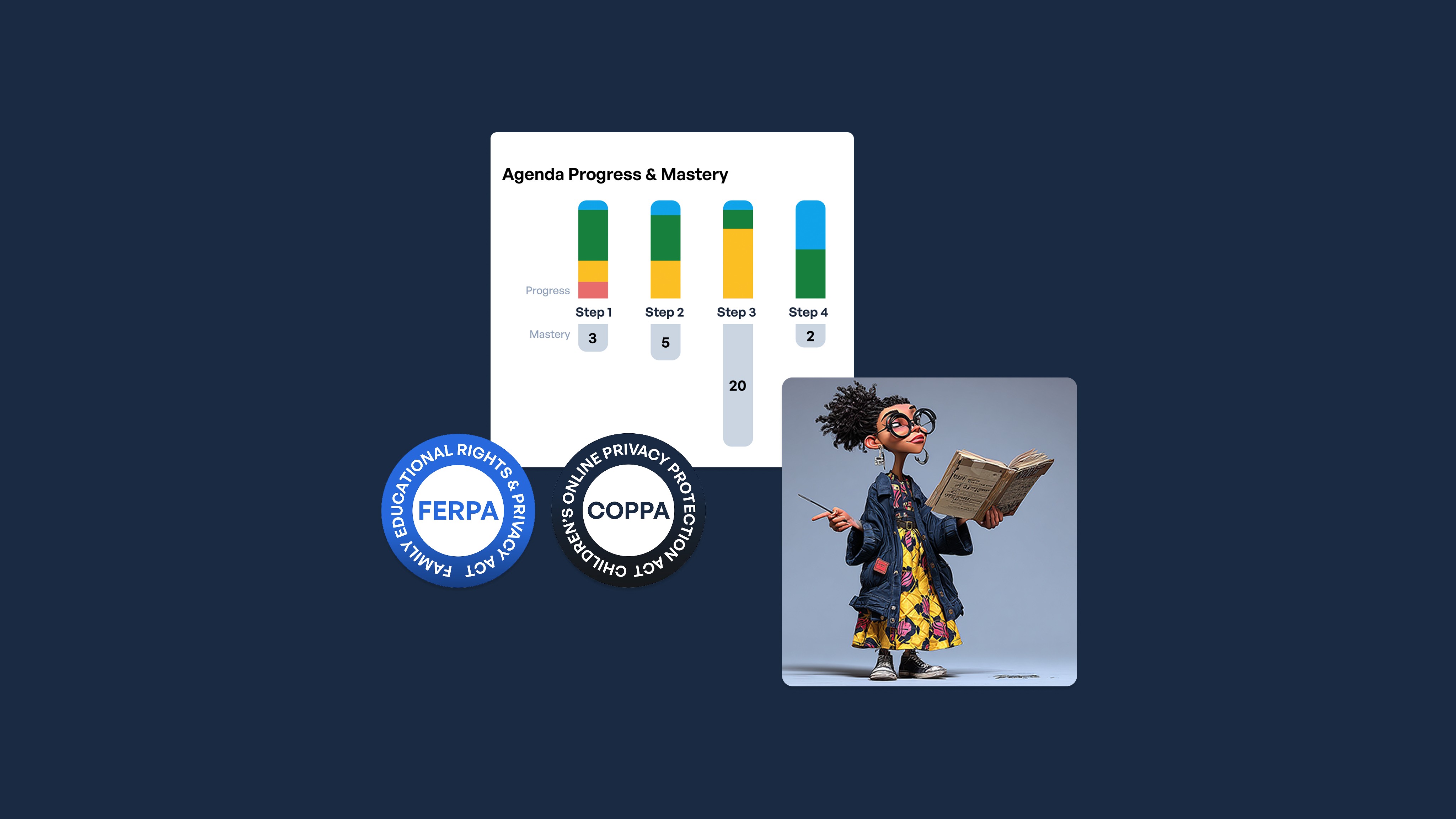
Key takeaways
-
Classroom-designed AI tools give you automated safety monitoring and grade-appropriate filtering that general-purpose AI can't provide
-
Students learn more when they draft first, then use AI to evaluate their own arguments and evidence
-
AI shows no learning gains when students use it to do the work for them
-
Check whether a tool preserves student thinking, not how sophisticated its AI is
You've probably noticed students asking whether they can use AI for writing assignments. Either way, you're facing the same question teachers across the country are asking: which AI writing tools actually help students learn to write better?
Research shows AI helps when students use it for feedback on their own work: the benefits are among the strongest measured for any educational technology. But other studies found that when students use AI to do the work for them, the benefits disappear completely.
That difference – between AI helping students think harder versus doing their thinking for them – should guide every decision you make about writing tools.
Get safety monitoring that general-purpose AI can't provide
When you catch polished essays that don't sound like your student, you need visibility. When your struggling readers fall further behind, you need differentiation. General-purpose AI can't give you either.
Many districts restrict or ban student access to consumer AI platforms, and for good reason. Here's why general-purpose AI tools fall short:
-
They lack grade-appropriate filters and automated monitoring
-
They provide no teacher oversight of student interactions
-
They create significant safety risks
-
They offer no visibility into how students actually use AI
SchoolAI solves this problem by starting with classroom workflows, not adapting consumer tools for schools.
-
Teacher visibility and control:Mission Control shows you exactly how students interact with AI – each conversation, time spent, and specific prompts used. You see their thinking process, not just their final product. Teacher-created learning environments called Spaces let students interact with AI within parameters you define.
-
Automated safety features: SchoolAI alerts you to concerning content automatically. You don't have to manually review every interaction. Grade-appropriate filtering is built in from the start.
-
Privacy and compliance built in: SchoolAI is designed with FERPA and COPPA privacy requirements from the ground up, not added as afterthoughts.
Common Sense Education validates this differentiation, noting that unlike tools that can feel unstructured, education-specific platforms give teachers control while providing students with safe AI interaction.
One question determines whether AI helps or hurts learning
Before students interact with AI, ask: Did they do the thinking first? When students draft their own paragraph about To Kill a Mockingbird and then ask AI why their argument isn't convincing yet, they're learning. When they ask AI to write the paragraph for them, they're not.
The same applies to thesis statements. Have students draft three options themselves, then ask AI which one sets up their evidence most effectively and why. The AI becomes a feedback tool, not a ghostwriter.
Track student thinking with these 4 features
See exactly when students ask AI to generate content
The biggest challenge you face is knowing when students cross the line from getting help to getting answers. SchoolAI's Mission Control shows you exactly which side of that line each student is on.
Here's what transparency looks like in practice:
-
Teacher dashboards show exactly how students interact with AI
-
AI-generated suggestions appear separately from student original work
-
Conversation transcripts reveal whether students asked for answers or feedback
This visibility lets you have targeted conversations about appropriate use before grading assignments. You can check whether students asked AI to "write a paragraph about" their topic or asked for feedback on their drafts.
Reach struggling readers without extra prep hours
Your classroom includes students reading three grades below level and students ready for advanced work. You need tools that work for everyone, not just the middle.
SchoolAI provides differentiation without rebuilding your lessons:
-
Built-in scaffolding across developmental stages
-
Text-to-speech and adjustable reading levels
-
Multiple ways for students to demonstrate understanding
-
English learner and IEP-specific supports
Teachers use Spaces to structure AI interaction differently based on student needs, providing more scaffolding for struggling writers while giving advanced students more open-ended prompts that require sophisticated analysis.
Keep student work out of AI training datasets
This matters more than ever. Effective June 23, 2025, the COPPA rule requires verifiable parental consent before student data can be collected or used, including for purposes such as training AI systems.
Ask vendors directly:
-
Will student writing samples train your AI models?
-
How do you handle FERPA compliance given AI's "black box" nature?
-
What happens to student data after they graduate?
SchoolAI addresses these concerns through privacy policies designed for education. We understand that these aren't just hypothetical concerns – they're legal requirements taking effect this year.
See student thinking process, not just outputs
Real progress requires linking instruction to student outcomes. You need analysis of what you should do the next day with students based on where they're struggling.
SchoolAI's Mission Control reveals the learning process:
-
Each student's conversation history and specific prompts
-
Time spent on different parts of assignments
-
Patterns showing where reasoning breaks down
-
Opportunities to intervene before students get stuck
This visibility transforms how you understand student learning. You can identify exactly where a student's reasoning breaks down, not just that their final paragraph needs work.
Start with one writing challenge on Monday
Pick one area where students consistently struggle: thesis statements, evidence analysis, or revision focus. Create a SchoolAI Space focused only on that challenge. Have students draft their work first, then use AI feedback to evaluate their ideas.
Check your teacher dashboard to see how students are actually using AI. Look for evidence of genuine learning: Do students ask better questions about their own writing now?
Frequently Asked Questions
When comparing AI writing assistants, the most important factors include writing quality, accuracy, ease of use, customization options, and integrations with your existing tools. Many users also evaluate cost, data privacy practices, and whether the assistant offers features like tone adjustment, summarization, or citation generation. Comparing these core capabilities helps determine which tool best fits your workflow.
AI writing assistants differ in the quality of their language models, the types of tasks they support, and the level of control they give users. Some tools focus on long-form content and research support, while others specialize in grammar, rewriting, or short-form copy. Differences also appear in speed, reliability, content safety filters, and how well they adapt to a user’s writing style. These distinctions become clear when reviewing head-to-head comparisons.
People search for AI writing assistants comparisons to understand which tools offer the best mix of accuracy, creativity, and productivity features. With many options available, comparison guides help users avoid trial-and-error by highlighting strengths, weaknesses, and ideal use cases for each assistant. Clear comparisons make it easier to choose a tool that aligns with specific needs, such as academic writing, professional communication, or creative work.

About the author
Stephanie Howell
Education Specialist at SchoolAI, Former Teaching and Learning Coordinator
Stephanie is a former teaching and learning coordinator with a background in instructional coaching, classroom management, and curriculum development. She holds a master's in educational leadership from Western Governors University. At SchoolAI, she works with schools to lead AI adoption and professional learning, turning new tools into classroom-ready practice that teachers can put to work right away.
Transform your teaching with AI-powered tools for personalized learning
See how every student is doing, and know what to do next.