SchoolAI Browser Extension for teachers
Give every student meaningful feedback in Google Docs, turn any webpage into a lesson, and launch interactive Spaces. Meet your AI co-teacher in every tab.
Tucker Austin • Mar 6, 2026
Teacher Workflow & Planning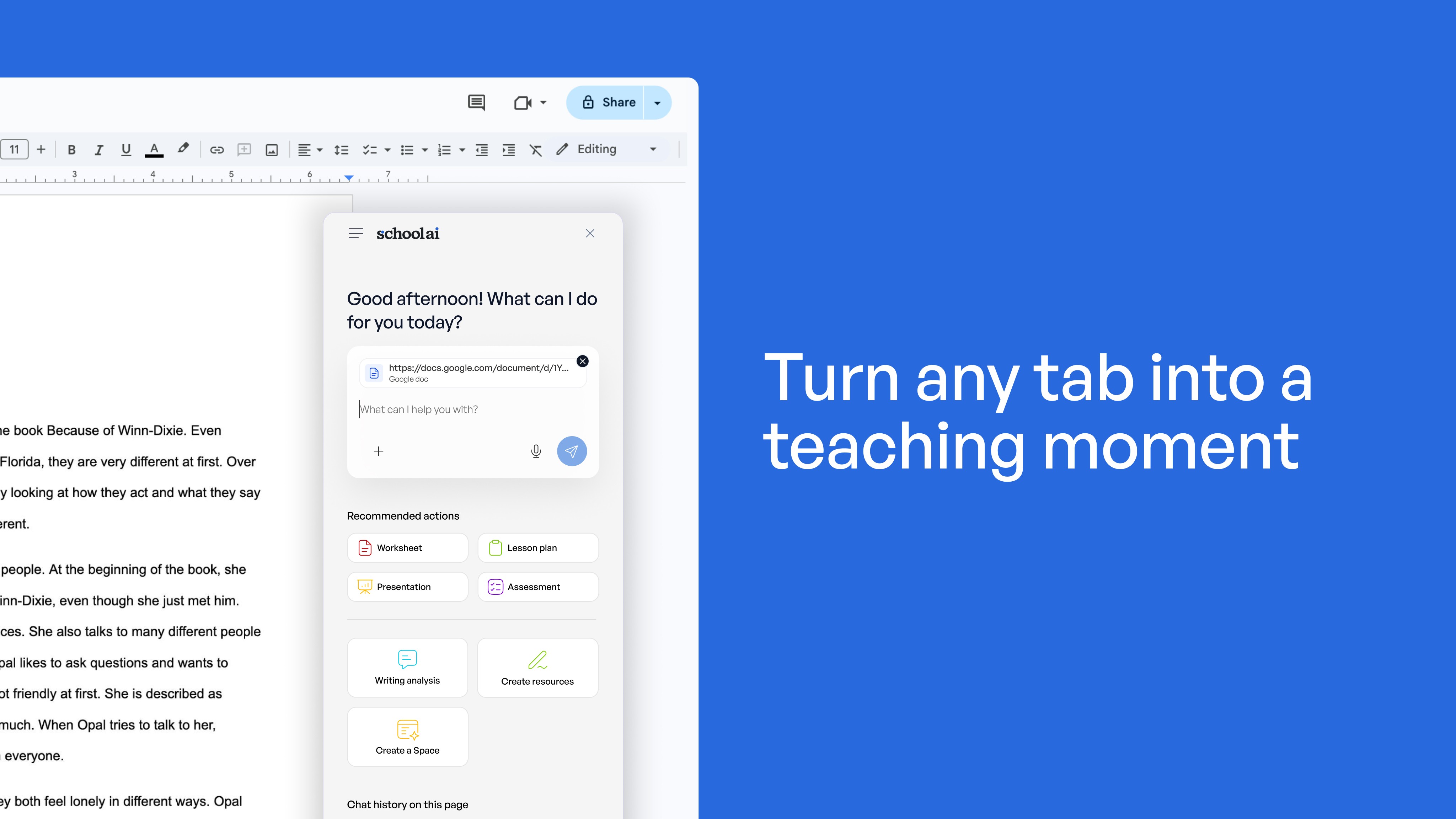
SchoolAI in every tab. More moments that matter.
The SchoolAI Browser Extension is an AI browser extension for teachers that works inside Google Docs and across the web. It puts AI-powered feedback, lesson creation, and personalized learning experiences right where you already work.
No tab switching. No copying and pasting. No re-explaining context to a separate AI tool.
This is your AI co-teacher, in every tab.
Turn any tab into a teaching moment
Open a student essay in Google Docs. Click the SchoolAI Extension. Choose your rubric.
In seconds, you get rubric-aligned feedback. Summary strengths and growth areas. Inline comments placed directly in the student's text. You review everything, edit what needs adjusting, and decide what to share.
The best part? Revision history shows you how the document was created. Pastes, edit time, number of contributors. You start conversations with understanding, not suspicion, making meaningful feedback possible for every student, every assignment. Not just the ones you have time for.
Your thought partner, wherever you're working
You find a compelling article about climate patterns. You want to use it with your seventh graders, but the reading level is too high.
Open the extension. Chat with SchoolAI about what you're looking at. Brainstorm how to teach it. Ask questions. Pressure-test your approach.
Then turn that webpage into classroom-ready materials with one click. Lesson plans. Worksheets. Assessments. Rubrics. All aligned to your standards.
Need to adjust the reading level? Done. Translate to Spanish? One click. Export to Google Docs for further editing? Instantly.
This AI teaching assistant browser extension understands the context of the tab in front of you. It's AI tools that integrate with classroom tools, not another standalone platform to learn.
From any webpage to a personalized learning experience
Here's where SchoolAI becomes the only educational AI browser extension that does this.
From that same climate article, create a Space. Students enter and work with their own AI sidekick. They explore the content at their own pace. They ask questions. They build understanding.
You monitor everything in Mission Control. Real-time insights into student thinking. You see where they're stuck. You see what they've discovered.
This is what makes SchoolAI different from other AI browser extensions. We don't just help you work faster. We help your students learn better.
An AI assistant inside the browser that actually understands education
Most browser extensions for students focus on productivity. SchoolAI focuses on outcomes.
The extension works inside Google Docs, across any webpage, and integrates directly into classroom workflows. It eliminates tab switching, copying content, and re-explaining context.
But more importantly, it's built around what matters most: student learning.
Teachers at more than 20,000 schools have already installed it. They're using it to give more meaningful feedback, create better-leveled content, and launch learning experiences they couldn't build before.
And it's free for all SchoolAI users through the remainder of the school year.
Ready to turn every tab into a teaching moment?
The SchoolAI Browser Extension works with Chrome, Edge, Brave, and other Chromium browsers. No additional setup required. Just install and start using it wherever you already work.
It's an AI extension that meets you where you are. In your docs. On your research pages. Across every tab where teaching and learning happen.
Because the best AI for teachers doesn't ask you to change how you work. It shows up where you already are.
Install the SchoolAI Browser Extension today and see what becomes possible when your AI co-teacher works everywhere you do.
Frequently Asked Questions
The extension works with Chrome, Edge, Brave, and other Chromium-based browsers. Just install it and start using it wherever you already work.
The SchoolAI Browser Extension is free for all SchoolAI users through the 2025-26 school year. If you have a SchoolAI account, you can install the SchoolAI Browser Extension today at no extra cost.
AI suggests. You decide. The SchoolAI Browser Extension generates rubric-aligned summary feedback and inline comments, but you review everything before students see it. You can edit, remove, or adjust any comment. The SchoolAI Browser Extension keeps the teacher in the driver's seat.
The SchoolAI Browser Extension includes revision history, which shows you the full writing journey. You can see when content was pasted, how much time was spent, and how many people contributed. Instead of flagging a similarity score, the SchoolAI Browser Extension helps you understand the process, so your conversations start with understanding, not suspicion.
SchoolAI is FERPA-compliant and SOC 2 certified. Nothing a teacher uploads through the SchoolAI Browser Extension is used to train AI models. Student data, curriculum materials, and all content stay private. You can learn more at our Trust Center.
Transform your teaching with AI-powered tools for personalized learning
See how every student is doing, and know what to do next.