SchoolAI vs ChatGPT for educators: Cost, safety, and classroom fit
Compare SchoolAI and ChatGPT for K-12: what’s free for teachers, what students can safely use, and what schools pay.
Katie Ellis • Sep 30, 2025 • Updated Nov 5, 2026
Teacher Workflow & Planning
Key takeaways
-
Purpose-built educational AI platforms can help offer stronger curriculum alignment and built-in safety features compared to general-purpose tools
-
Built for student safety from day one. Built-in guardrails and real-time teacher alerts ensure students stay protected and supported while they learn
-
Privacy compliance differences matter, and SchoolAI includes FERPA and COPPA protections by default
-
Integration capabilities vary; education-focused tools often connect directly to LMS and SIS platforms, while general tools connect to productivity apps but not to student rostering or classroom systems
-
Both tools are free for teacher planning; the real cost comes from supervised student use, which schools and districts purchase
AI is rapidly becoming essential in education, leaving district and school leaders with a crucial decision: adopt a general-purpose language model or invest in a platform specifically designed for classrooms. Both approaches offer distinct advantages and present unique challenges for K-12 implementation.
This comprehensive comparison examines two leading options, SchoolAI and ChatGPT, across the factors that matter most to schools: curriculum alignment, student safety, data privacy, assessment capabilities, and administrative integration. It also covers what each option costs, since "free" means something different for a teacher than for a district.
SchoolAI: built by educators for classroom success
SchoolAI was founded by former teacher and school leader Caleb Hicks, alongside co-founders Kevin and Cahlan, who brought decades of combined classroom and educational technology experience. Recognizing that general AI tools weren't meeting K-12 needs, they set out to create AI explicitly designed for classroom realities.
The platform embodies an educator-first philosophy, featuring Spaces for interactive learning and Mission Control for real-time student insights. Rather than adapting general AI for schools, SchoolAI was built from the ground up with classroom workflows, privacy and safety requirements, and curriculum standards in mind.
This education-specific design means teachers can focus on instruction rather than wrestling with technology. The platform handles compliance, safety filtering, and curriculum alignment automatically, allowing educators to leverage AI without needing to become proficient in prompt engineering or privacy expertise.
ChatGPT: general AI adapted for educational use
ChatGPT launched in November 2022 from OpenAI, a research company founded by Sam Altman, Elon Musk, and others in December 2015. Originally built on OpenAI's GPT-3.5 language model and since upgraded to newer model generations, ChatGPT was trained on vast internet datasets to handle conversations and tasks across virtually any domain.
OpenAI's mission is focused on developing artificial general intelligence for broad applications, rather than specifically in educational environments. This creates ChatGPT's primary strength: incredible versatility across subjects and use cases. Teachers can brainstorm ideas, create content, or solve problems without being limited to pre-built educational templates.
However, this general-purpose design means ChatGPT requires significant customization for classroom use. Districts must add safety layers, establish compliance protocols, and train teachers on prompt engineering to ensure the platform works effectively in K-12 environments.
OpenAI has since launched ChatGPT for Teachers, a secure workspace that's free for verified US K-12 educators through June 2027. It helps with teacher planning, but it's staff-only, so students get no supervised experience inside it.
Feature comparison for key school needs
When choosing AI for classrooms, these features can make or break implementation success:
<!-- unsupported: table -->How much does SchoolAI cost compared to free tools like ChatGPT?
For individual educators, there are strong options for AI for teachers free of charge. SchoolAI's free plan includes Chat with Dot, Tools and Assistants with no restrictions, standards alignment, Critical Alerts, and five Space sessions per year for student activities. ChatGPT's free tier and ChatGPT for Teachers also cost nothing. The real cost difference appears when students start using AI, because supervision, rostering, and compliance become requirements.
Cost comparison at a glance
<!-- unsupported: table -->How schools and districts pay for classroom AI
SchoolAI has no individual paid plan, so teachers never pay out of pocket. Schools and districts purchase Pro and Scale, which add unlimited Space sessions, SIS rostering, usage reports, and persistent guardrails. Because SchoolAI is ESSA Level III validated, schools can use Title I, II, III, and IV-A funds. See the SchoolAI pricing page for plan details.
Look past the sticker price. Promotional plans end, free tiers cap usage, and general tools add hidden costs in training, manual data handling, and custom safety layers.
Big AI models weren’t built for classrooms. SchoolAI was.
Large LLMs are powerful, but they leave safety, supervision, and standards up to you. SchoolAI gives students guardrailed, teacher-designed learning experiences and gives educators real-time mastery data.
4 critical comparison areas for schools
When evaluating AI platforms for classroom use, these key areas reveal the most significant differences in practical implementation and daily use.
Lesson planning and curriculum alignment
SchoolAI offers templates that enable you to select a grade level and quickly create standards-aligned lessons. Spaces and Agendas can support curriculum connections, though teachers should verify alignment. The platform can pull pacing information from your LMS to keep units on track.
ChatGPT offers powerful text generation capabilities but lacks built-in awareness of curriculum and pedagogical best practices. You'll spend time crafting detailed prompts, checking content accuracy, and reformatting materials before they're classroom-ready. This extra work can eliminate the promised time savings that initially attract teachers. For a closer look at how general models handle teacher tasks, see our comparison of ChatGPT, Claude, and Gemini for teachers.
Student safety and appropriate interactions
SchoolAI filters content for safety, content, and grade level and subject automatically, with FERPA and COPPA protections built into ongoing use. Every conversation is recorded in teacher dashboards for oversight, with actionable insights summarized for each student. It's also SOC 2 Type II and 1EdTech certified; see the SchoolAI Trust Center.
ChatGPT uses broad content moderation designed for general public use, not K-12 environments. This means students get unfettered access to AI intended for adults. Some educators compare this to "letting students out to recess on the playground without adult supervision." Districts often restrict student access to ChatGPT entirely due to these safety concerns, or teachers must manually monitor every student interaction without automated alerts or grade-appropriate filtering.
OpenAI requires users to be at least 13, with parent permission under 18, and ChatGPT for Teachers has no student accounts. Schools that want an AI chatbot for students need a tool where teachers set the purpose and boundaries first.
Without built-in educational safeguards, you're responsible for identifying and addressing issues related to inappropriate language, personal data disclosure, and academic integrity after they occur. SchoolAI prevents these issues proactively with student-appropriate design, while ChatGPT requires constant manual oversight to ensure safe classroom use.
Assessment and grading workflow
SchoolAI's assessment tools can help create rubrics, provide guided feedback, and sync scores with gradebooks through integrations like Google Classroom, Canvas, Schoology, and more. Mission Control allows you to review student responses and group learners for follow-up within the same interface.
ChatGPT can suggest quiz questions or comment on writing, but can't post grades, align items to standards, or save feedback for later review without manual copying. Teachers often end up exporting text, pasting it into documents, and manually entering scores.
Administrative integration and reporting
SchoolAI integrates with Google Classroom, Canvas, Schoology, and 30+ district SIS systems via native and secure APIs. Administrators can view usage analytics and compliance reports without needing to collect spreadsheets from individual teachers. See the full list on the SchoolAI integrations page.
ChatGPT does not offer native connections to school rostering or student information systems. ChatGPT for Teachers can connect to productivity tools like Google Drive and Microsoft 365, but teachers must still manually copy and paste content between platforms, export data to spreadsheets, and handle student data transfer themselves. Without automated integration, administrators have no visibility into usage patterns, student progress, or compliance metrics unless teachers voluntarily share information. Manual data handling creates an additional workload for teachers, making district-wide implementation difficult to track and scale effectively.
In a 2026 survey of 756 K-12 teachers, SchoolAI users reported saving about seven hours per week on planning, differentiation, and grading. A two-year study of 13,882 student conversations found students using SchoolAI showed 28% greater critical thinking, with the biggest gains where teachers built more Spaces. AI works best when teachers shape how students use it.
Making the right choice for your school or district
Selecting the right AI platform for your district requires careful evaluation of multiple factors that directly impact implementation success and student outcomes:
-
District capacity and IT resources: Assess your team's ability to customize general tools versus implementing ready-made solutions. Consider ongoing maintenance requirements and technical support needs. Evaluate existing infrastructure compatibility and integration complexity
-
Privacy and compliance requirements: Review FERPA, COPPA, and state-specific data protection mandates. Determine whether built-in compliance features or custom implementations better fit your risk tolerance. Consider audit requirements and documentation needs for regulatory reviews. See our guide to FERPA and COPPA compliance for school AI
-
Curriculum alignment needs: Identify how closely AI outputs must match state standards and pacing guides. Evaluate teacher comfort with prompt engineering versus using pre-aligned templates. Consider the time investment required to customize content for classroom use
-
Budget and total cost of ownership: Compare upfront platform costs with hidden implementation expenses. Factor in professional development, technical support, and ongoing customization costs. Calculate teacher time savings versus setup and maintenance overhead. Plan for what happens when free promotional plans end
-
Timeline and rollout expectations: Determine whether you need immediate deployment or can afford more extended customization periods. Consider the requirements and scaling timelines for a pilot program. Evaluate change management capacity within your organization
-
Teacher readiness and support needs: Assess current staff comfort levels with AI technology. Consider your professional development requirements and preferences for ongoing support. Evaluate whether teachers prefer guided experiences or open-ended tools
-
Parent and community acceptance: Consider whether your AI choice will generate excitement or concern among families and community members. Evaluate if your platform selection could invite scrutiny or criticism, or if it reinforces trust through proper guardrails, pedagogical alignment, and transparent student safety measures. Factor in your communication strategy for explaining AI use to stakeholders
Why SchoolAI stands out in educational environments
While both platforms offer AI capabilities, SchoolAI's education-first design creates distinct advantages for classroom implementation. The platform was built specifically to enhance the student-teacher connection through AI-powered differentiated instruction. It provides teachers with actionable insights when students need support the most while addressing the daily challenges teachers face, from lesson planning bottlenecks to assessment workload management.
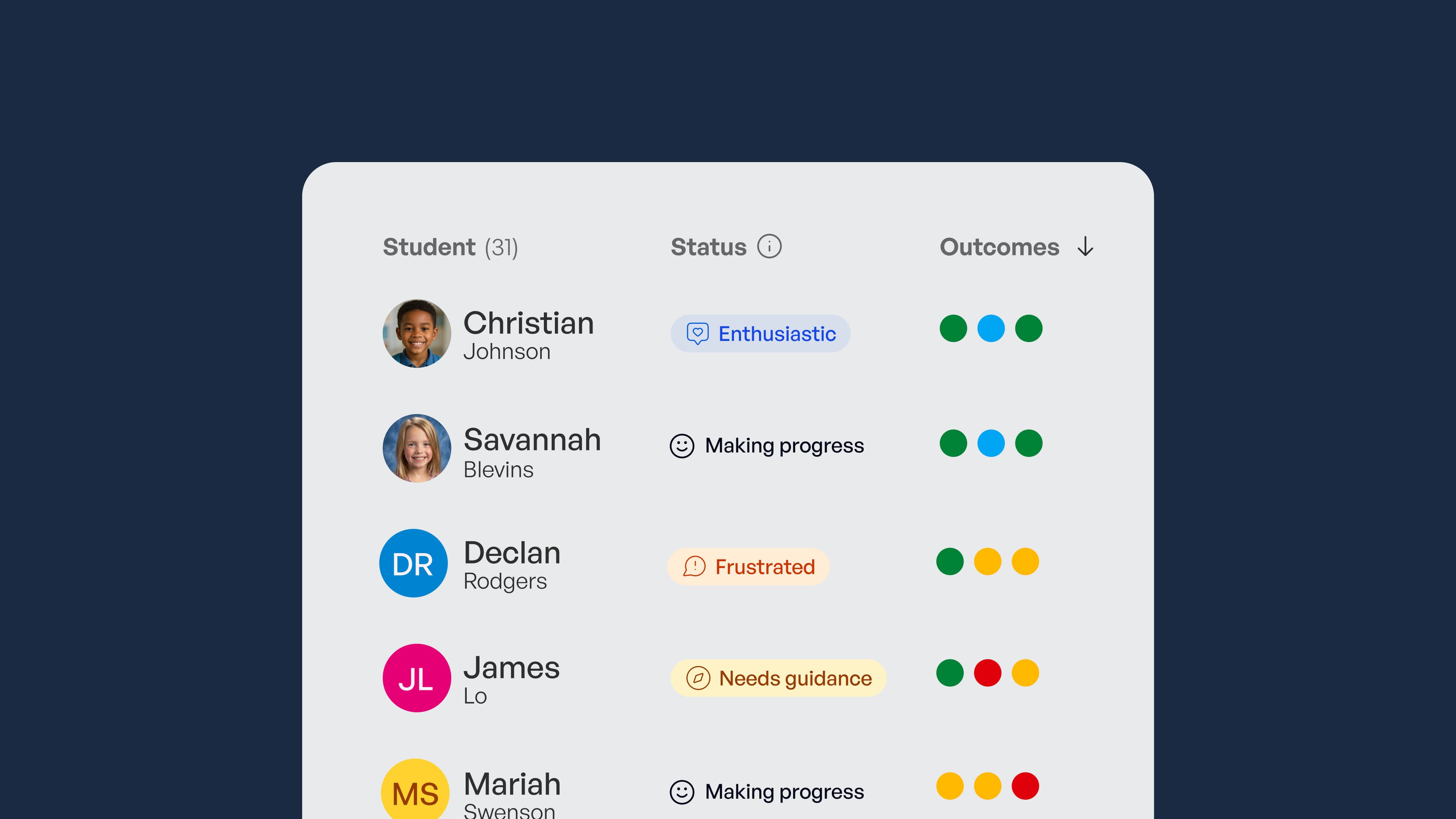
The difference becomes apparent in practical use. SchoolAI's Spaces create differentiated learning environments where students interact with AI tutors tailored to their grade level and subject. At the same time, Mission Control provides teachers with real-time insights into students' thinking patterns. This integrated approach means less time managing multiple tools and more time focusing on instruction.
Administrative benefits include built-in compliance monitoring, automated reporting for district leaders, and seamless data flow between classroom activities and school information systems. Rather than retrofitting general AI tools to meet educational requirements, SchoolAI is built from the ground up to handle these needs automatically.
SchoolAI's teacher-centered design is evident in details such as curriculum-aligned templates, grade-appropriate content filtering, and professional development resources created explicitly for educators. These features reduce the learning curve and technical overhead that often prevent successful AI adoption in schools.
Making the big decision for your school
Choosing between purpose-built educational AI and general-purpose tools depends on your district's capacity for customization, compliance requirements, and integration needs. Purpose-built platforms, such as SchoolAI, offer streamlined implementation with education-specific features, standards, and safety built in. In contrast, general tools like ChatGPT offer flexibility but require more setup to work effectively for educators and meet compliance requirements.
Additionally, SchoolAI was explicitly designed by teachers, for teachers. This means that it was created with the entire scope of teaching in mind, as an all-in-one platform that supports everything from ideation and lesson planning to delivery, instructional materials, feedback tracking, and everything in between. This puts ChatGPT at a distinct disadvantage as a general-use tool, and to make it effective, teachers must switch between apps and tools to obtain the necessary information.
SchoolAI provides safe, classroom-ready AI where students learn within teacher-designed, guardrailed experiences, and educators get real-time mastery data showing whether students are actually achieving the outcomes that matter.
Ready to explore classroom-ready AI explicitly designed for education? Explore SchoolAI to see how purpose-built tools can streamline AI adoption while maintaining the safety and curriculum focus your district requires.
Bring SchoolAI to your whole school or district.
See how every student is doing, and know what to do next.