AI in the classroom: a practical guide for the start of the school year
A practical guide to starting AI in your classroom this school year, with guardrails built in from day one.
Blasia Dunham • Sep 24, 2026
AI Literacy Safety & Policy
Every back-to-school PD session this year probably included some version of "start using AI in your classroom." Nobody tells you what that actually looks like on the first Monday of school. Do you hand kids a chatbot? Rewrite your whole grading process? Wait for the district to figure it out first? This guide skips the big-picture pitch and gets into the mechanics: how to start with one small task, put guardrails in place before students touch anything, and build up over your first month instead of blowing up your routine in August. It also covers the parts most AI guides skip entirely: what to tell parents, how to make sure the tool works for every student, what it actually costs, and how you'll know by week four whether any of it worked. Read more on getting started with AI in the classroom.
Key takeaways
-
Start with one task, not a full overhaul, and let it prove itself before you add a second.
-
Set ground rules with students before they touch AI, not after something goes wrong.
-
Send parents a short update before the first AI-assisted assignment comes home.
-
Check accessibility and grade-level fit before rolling a tool out to the whole class.
-
Pick one way to measure whether it's working, and give it a full month before deciding.
Start with one small, practical win before you scale up
Every AI-in-education source agrees on this part: the right first move is one narrow task, not a full classroom overhaul. Pick a single, practical use and let it prove itself before you touch anything else.
Three starting points that work well in week one:
-
A single administrative task. Draft your first-week lesson plan with AI, or use it to write the parent welcome letter you'd otherwise stare at for an hour.
-
One guided activity in a single subject, not an open-ended AI tool handed to the whole class. Math tends to be the easiest place to start, since right and wrong answers make it easy to see whether the activity is landing.
-
A grading or feedback pass on one assignment type. Run it once, time yourself, and decide if it's actually saving you anything before you build it into your routine.
The activity matters as much as the task. A guided, single-purpose activity like a SchoolAI Space keeps week one contained. Students work inside something built for one job, not a blank chat window where anything can happen. That containment is what makes the first week manageable.
Once that one task is working, you've earned the right to try a second. Not before.
Set ethical guardrails and ground rules before students log in
If starting small is the first rule everyone agrees on, this is the second: put a policy in place before a single student touches AI, not after something goes sideways.
A first-week policy doesn't need to be long. It needs to answer three questions plainly:
-
What AI is for in your classroom. Brainstorming, practice, first-draft feedback, whatever you've chosen, and what still has to be the student's own work.
-
How you'll know the difference, and what happens if a student uses AI without saying so. Decide this before you're deciding it in the moment, annoyed, in front of the whole class.
-
What the tool itself already handles. A well-built classroom AI tool has some guardrails baked in already, so your policy isn't the only thing standing between a student and a bad shortcut.
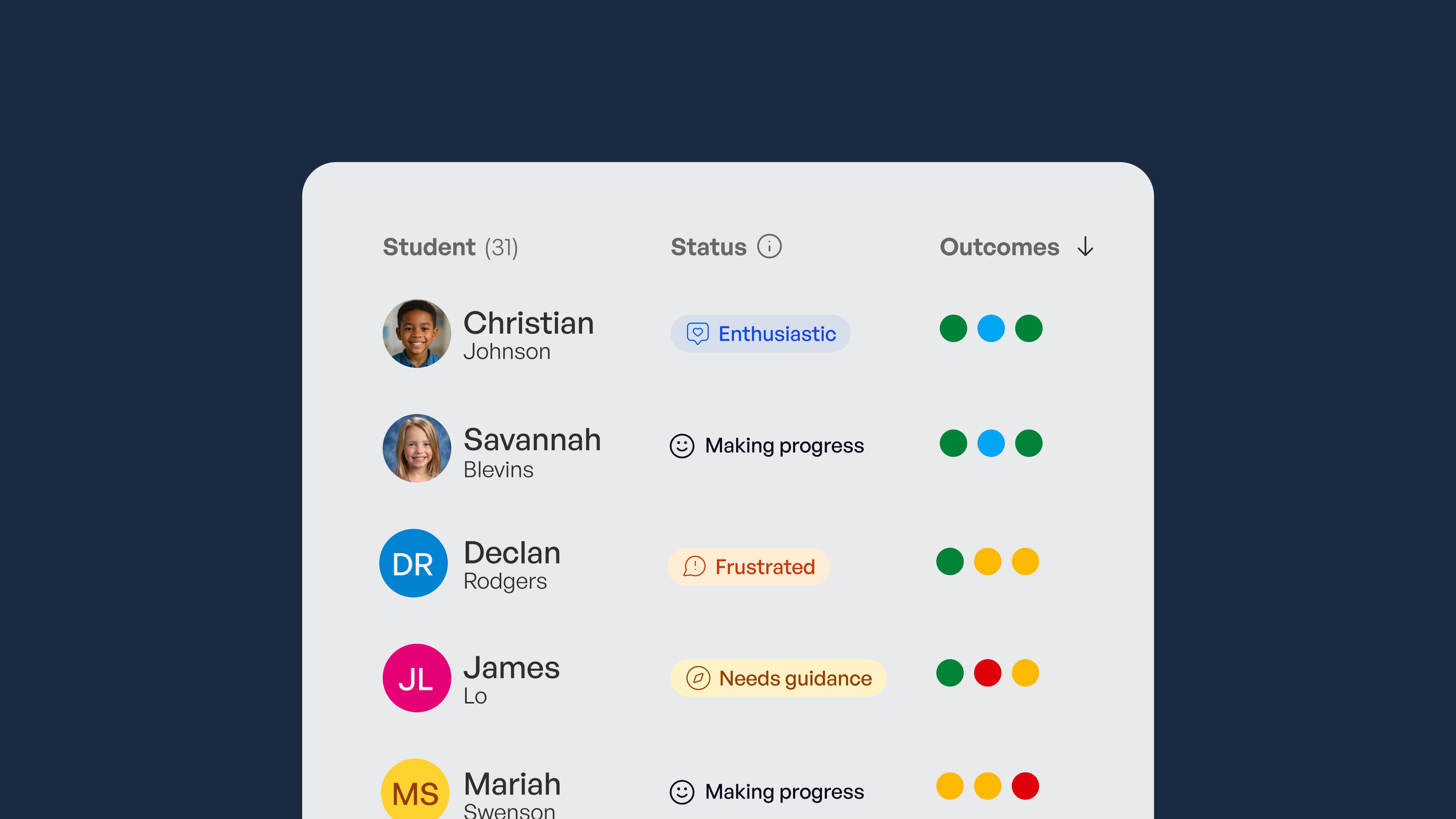
The other half of this is human oversight. Every AI output a student turns in should get a real check from you before it counts for anything. Mission Control exists for exactly this: visibility into what students are doing with AI in real time, so oversight doesn't mean reading through everything after the fact.
Introduce this to students directly in week one. Frame it as how the classroom works now, the same way you'd explain any other routine, not as a list of things they can't do.
Tell parents what's happening before it comes home in a backpack
Here's the gap almost every other guide skips: parents. Kids come home talking about the new tool their teacher is using, and if the first thing a parent hears is secondhand from an eight-year-old, you've already lost the relationship you wanted to build with them.
Send something home before the first AI-assisted assignment does. A short update should cover:
-
What tool the class is using and what it's actually for. Not the marketing pitch, just plain language.
-
What data it does and doesn't collect from their child. Parents ask this even when they don't say it out loud.
-
How to reach you directly if they have questions or concerns.
A short template makes this a ten-minute task instead of a blank page. The point isn't a perfect letter. It's getting ahead of the conversation instead of responding to it after a parent's already worried.
Make sure it works for every student, not just the average one
Two gaps tend to get treated as separate problems when they're really the same check: does this work for the student in front of you, not just the average student in the room.
Before you roll anything out to a full class, check three things:
-
Whether it supports read-aloud, simplified text, or other accommodations that are already in a student's plan. If it doesn't, that student is opted out before you've even started.
-
Whether the activity actually matches your grade band. Something built for high schoolers doesn't automatically scale down to third graders, even if the topic sounds the same.
-
Whether guardrails adjust by grade level on their own, or whether that's something you have to configure yourself. Know which one you're dealing with before day one.
This check takes minutes, not a planning period. The alternative is rolling something out, realizing partway through that a student was left out, and walking the whole thing back in front of the class. Do the five-minute version up front.
Start the school year with AI you can trust
SchoolAI puts students inside teacher-designed, guardrailed experiences and gives you real-time mastery data, so you know it's working before you scale it up.
Loop in IT early and get a realistic read on cost
Two things tend to surface only after a teacher has already started, and both are avoidable with one conversation before week one.
Ask your IT department:
-
Whether the tool is already approved, or what approval actually requires. Some districts have a fast lane for this you might not know about.
-
What's free versus what needs a paid or district-level plan. Free tiers vary more than you'd think, and finding out mid-semester is worse than finding out now.
-
Whether device and login requirements match what you actually have in the room. Younger grades sharing devices runs into different problems than a 1:1 high school classroom.
This is a five-minute conversation, not a procurement process. Have it before you're mid-rollout and discovering the tool needs a login your students don't have.
Decide upfront how you'll know it's actually working
Almost nothing written about classroom AI answers the question that actually matters: how do you know it's helping students learn, not just saving you time grading. Decide this before you start, not after a good week makes you feel like it's working. Pick one signal, a specific skill, an assignment score, an engagement measure, and watch it for the full month, not just the first few days. Check it against real data over time rather than a single strong week, since one good week doesn't prove much on its own. This is also how you build the case for expanding past week one. If you can point to a specific measure that moved, that's a much easier conversation with your principal than "it felt like it was working."
A simple four-week starter roadmap
Here's how the pieces above fit together into an actual month, not just a list of considerations.
1: Week one, pick one task and set the ground rules
Choose your single starting use case, send the parent update before you use it, and introduce the policy to students the same day you introduce the tool. Don't stagger these. Ground rules and the parent letter both come before the first AI-assisted assignment, not after.
2: Week two, run it and watch for friction
Use the one task consistently and pay attention to what's clunky or confusing, for you and for students. This is not the week to add a second use case, even if week one went well. Write down the friction instead of trying to fix it on the fly.
3: Week three, fix what didn't work and check accessibility
Adjust based on what you noted in week two. This is also the week to confirm that any student who needed an accommodation actually got it, not just that you set one up in theory.
4: Week four, review the signal you picked and decide what's next
Look at the outcome measure you picked at the start. Decide whether to expand to a second task based on what the data actually shows, and send parents a short update on how the first month went.
Start small, measure what matters, and scale with confidence
Every piece of this comes back to the same three words: small, guarded, checked. Start with one task, set your ground rules before students touch anything, and know by week four whether it actually worked.
The hardest part of that list, building the guardrails and oversight from scratch, is exactly what a classroom AI tool built for teachers is supposed to take off your plate. With SchoolAI, students work inside experiences you design, not an open-ended tool you have to police alone, and you get real-time data on whether they're actually hitting the outcomes you care about. That's what turns "start small" from a hope into something you can verify.
The relationships you build this year, with students, with parents, with your own sense of whether this is worth the time, start with how you handle week one. Sign up or buy SchoolAI for your school to see what that looks like from day one.

About the author
Blasia Dunham
Education Specialist at SchoolAI, Former Technology Integration Specialist
Blasia is a former technology integration specialist who spent years coaching teachers through co-teaching, hands-on training, and one-on-one support. A semi-finalist for AI Educator of the Year, she's known for turning teacher hesitation into confidence. At SchoolAI, she helps educators find their footing with AI the same way she helped teachers find their footing with tech: side by side, one step at a time.
Transform your teaching with AI-powered tools for personalized learning
See how every student is doing, and know what to do next.