Smart classrooms, stronger districts: New features for the 2026-2027 school year
Explore SchoolAI's Back to School 2026 updates: district-wide AI controls, sharper class insights, more teacher time, and a personal AI tutor for every student.
Brittany Petitpas • Jul 17, 2026
Product Updates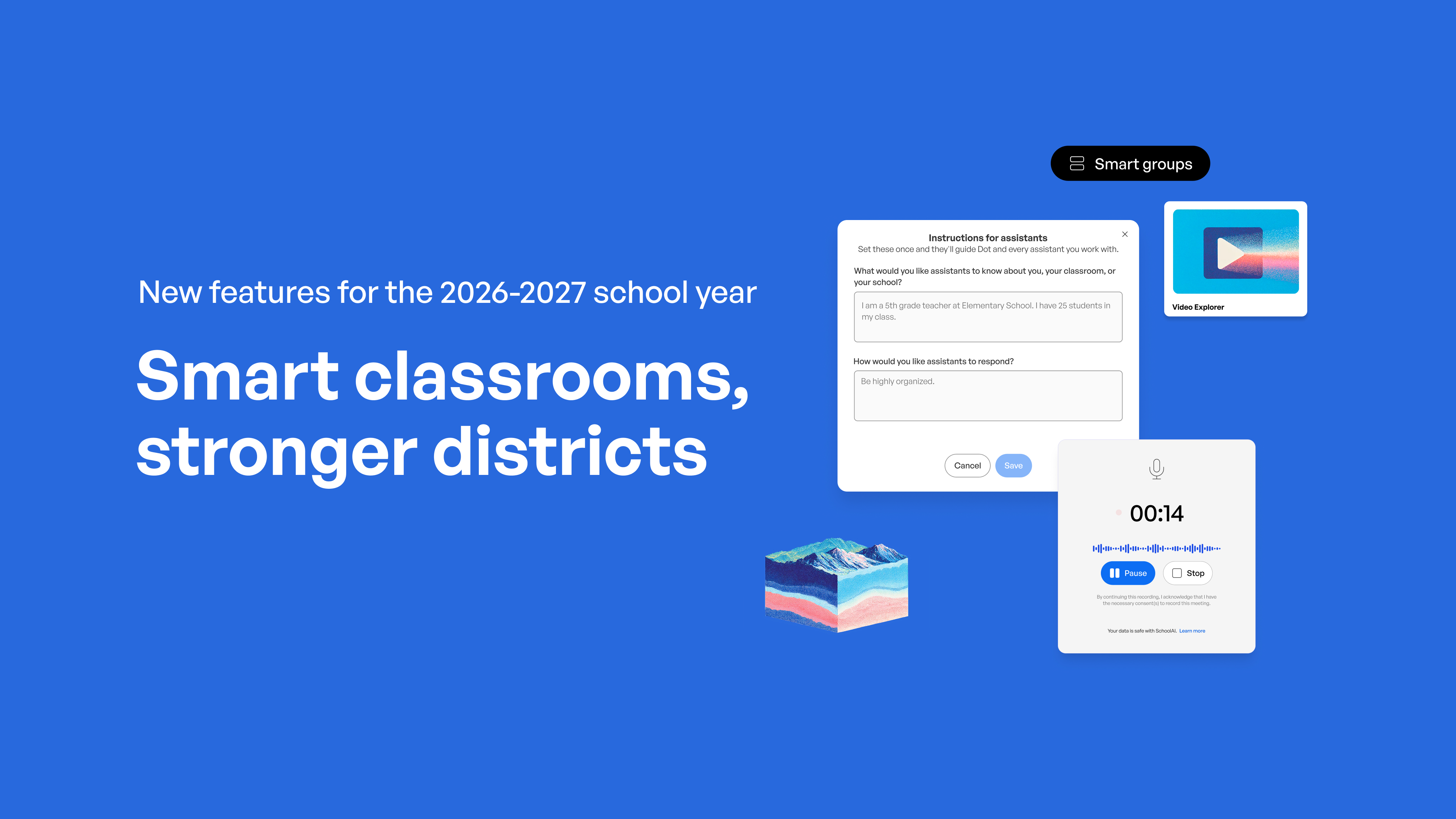
Back to School season raises the stakes for district leaders: new students, new staff, new expectations for the tools you stand behind. This year, SchoolAI meets this moment with its biggest update yet, built to give you control over how AI works in every school, and to make it something teachers and students actually want to use.
Here's how that comes together across five themes for the 2026-2027 school year, and what each new feature means whether you're already a partner or weighing whether to become one.
For districts building on Multi-Tiered System of Supports (MTSS), this release lands where it matters most: Tier 1, the universal core instruction and support every student receives. Strong Tier 1 is the foundation the whole framework rests on, and it’s what these features are built to strengthen first.

District Management: run AI across every school from one place
Managing AI responsibly across dozens of schools, several grade bands, and thousands of staff members is a daunting task, and it's where most tools fall short.
District leaders need one place to set the rules and see what's actually happening in every building.
This year, districts get the visibility, control, and confidence to manage SchoolAI everywhere students learn, all from a single place.
What's new
-
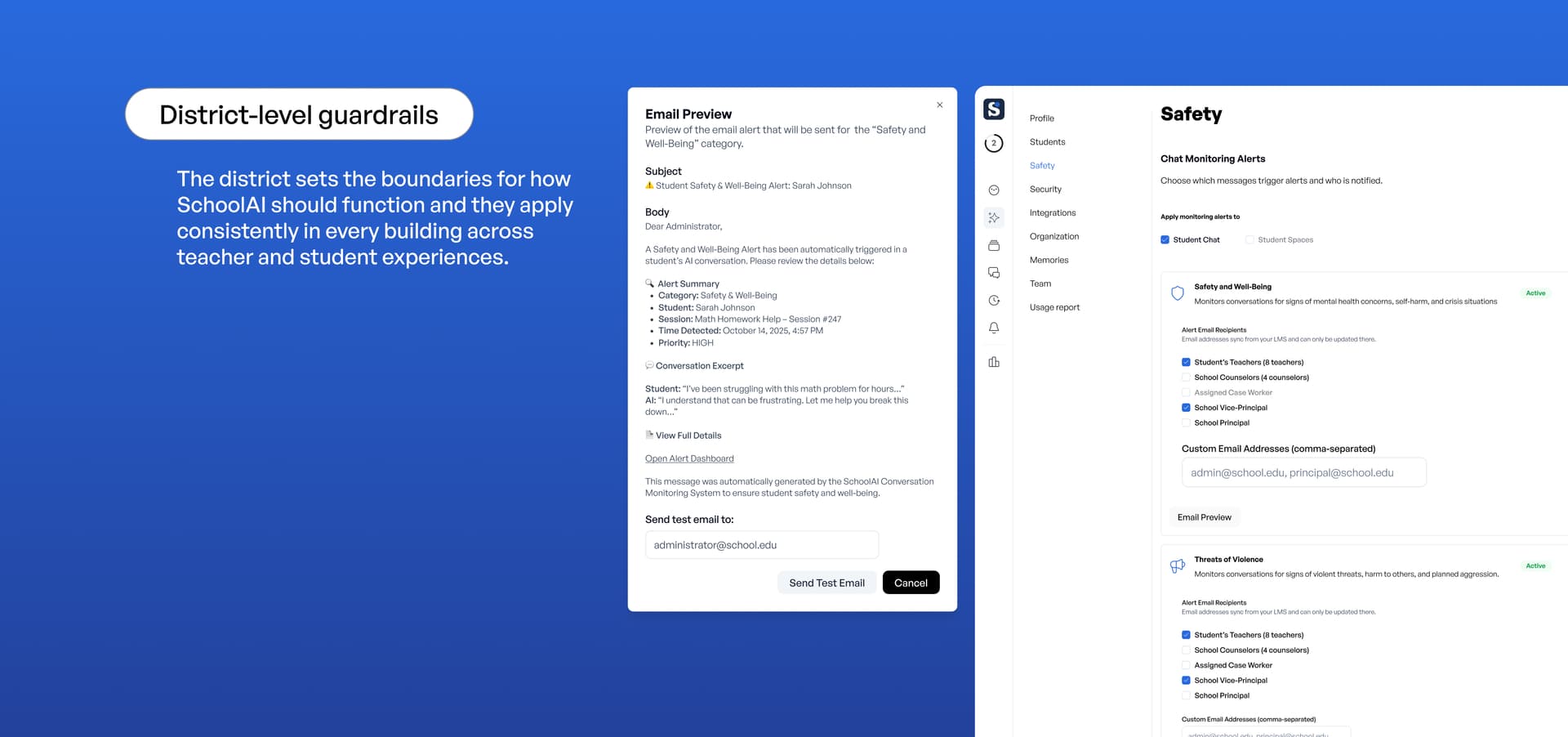
District-level guardrails → the district sets the boundaries for how SchoolAI should function and they apply consistently in every building across teacher and student experiences.
-
District context & customization → SchoolAI can now reflect your policies, curriculum, and local priorities rather than a generic default.
-
Critical Alert Routing → urgent student-safety signals reach the right adult fast, with clear recommendations to support whole student well-being.
-
Usage Report improvements → the Usage report has always shown adoption and impact school by school, but now it enables a higher level of visibility for district and school leaders to see how teachers and students are using AI. Identify patterns of effective use that you can then spread across your organization.
For current partners, these improvements close the loop between district priorities and what's actually happening in classrooms, using the amplifying impact of AI. For districts evaluating us now, it's the clearest reason we remain the strongest district-level partnership in education AI: you stay in control the entire way.
Educator Effectiveness: from hours saved to deeper impact
SchoolAI already helps teachers save more than 7 hours per week, a result from our ESSA Level III validation study. Giving time back is where we started. This year is about what teachers do with it. The bigger opportunity is giving teachers the time to reach every student and support whole student outcomes.
What's new
-
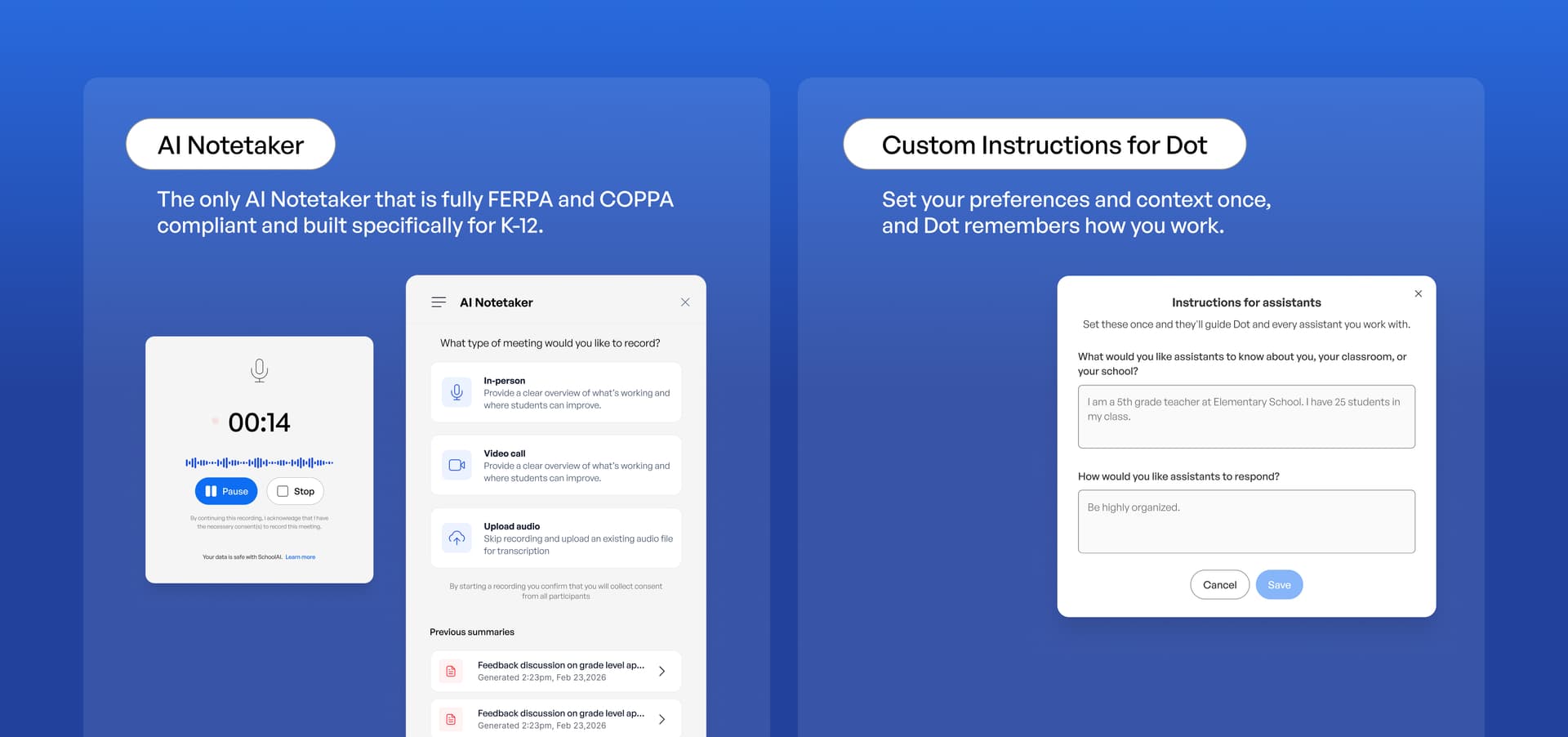
Notetaker → The first and only education-specific notetaker, built with the high level of security and privacy districts need. It captures PLCs, parent-teacher conferences, and small-group work so teachers can stay present instead of note-taking.
-
Browser Extension → puts SchoolAI’s tools and Dot one click away in any browser tab, so teachers get help right where they’re already working, without switching apps or losing their place.
-
Custom Instructions for Assistants & Dot → every AI response matches how a specific teacher runs their class. Dot & Assistants can now retain your grade level, subject matter, and any important context about your teaching style or class you think is relevant.
The goal of all SchoolAI improvements is whole-student outcomes. When planning and paperwork take less time during the week, teachers spend more time on the most important part of their job, connecting with their students and fostering more aha moments.
Class Intelligence: improvements to Mission Control that help teachers know where they can make the most impact.
A teacher can only respond to what they can see. For most of the school day, what a student actually understands stays invisible until a quiz or a raised hand says otherwise, usually too late to change the lesson.
Class Intelligence improvements closes that gap in the moment of learning.
What's new
-
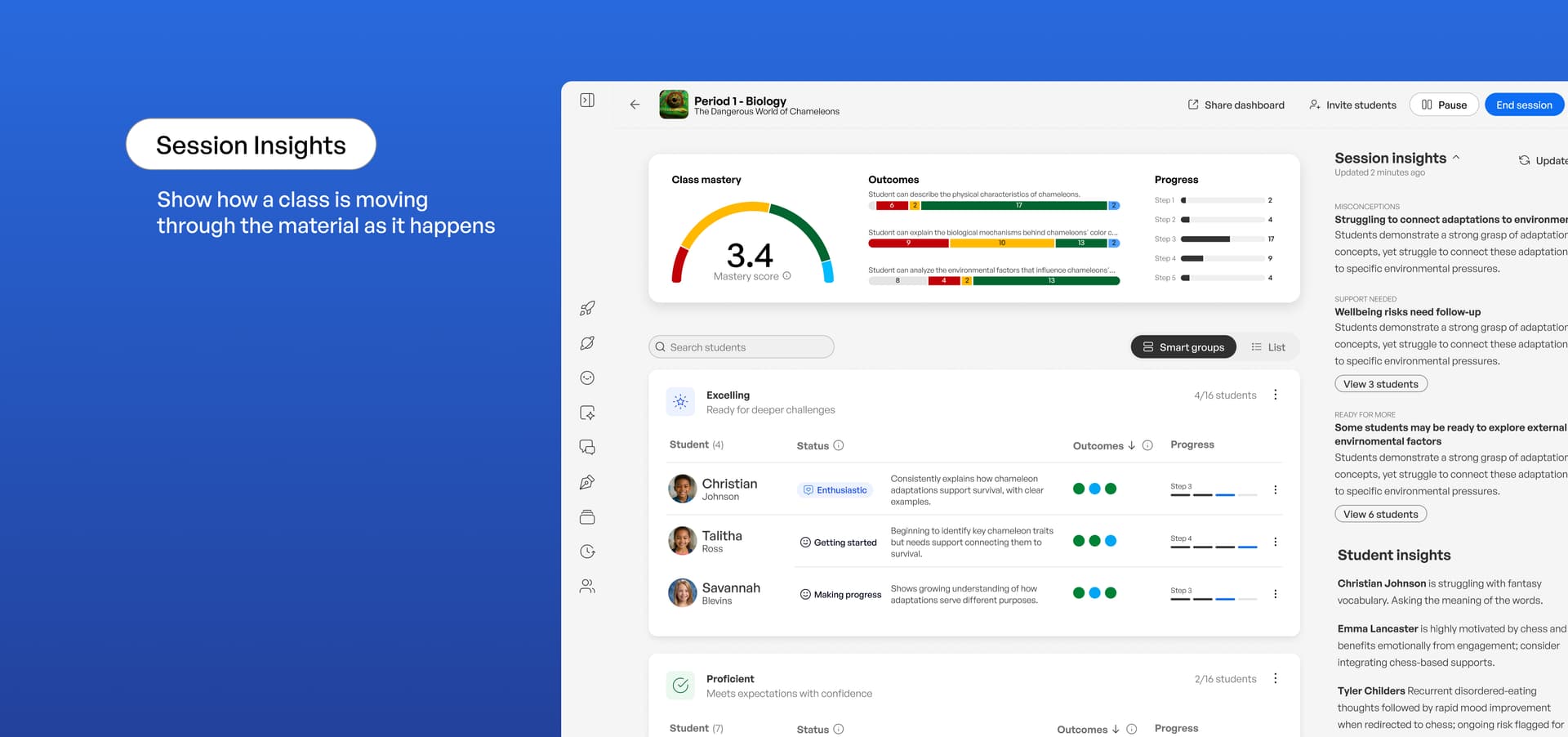
Smart Groups → cluster students by where they are so teachers can pull the right small group without guesswork.
-
Next Steps → turns that reading into a specific recommendation for what to teach or reteach.
-
Session Insights → show how a class is moving through the material as it happens.
-
Class Mastery Score → a single at-a-glance read on where the class stands, surfacing common misconceptions so teachers can address them with the whole class right away.
-
PowerUp Visibility → teachers see how students are using each PowerUp inside a Space.
The result is that a Space session that keeps every student in their zone of proximal development. They are challenged enough to grow and supported enough to keep going. Every activity produces a signal, every signal points to an action, and learning progress compounds week over week.
This is the data engine that MTSS Tier 1 depends on. The Class Intelligences improvements turn everyday learning into continuous, universal insights on how each student is doing, so teachers can differentiate inside core instruction and catch who needs more support early, before a small gap becomes a Tier 2 referral.
Student Portals: a personal learning space for every student
Every student now has a personal AI-tutor that allows them to enter from inside and outside the classroom. It gives them more room to drive their own learning while keeping a trusted adult in the loop the entire time.
What's new
-
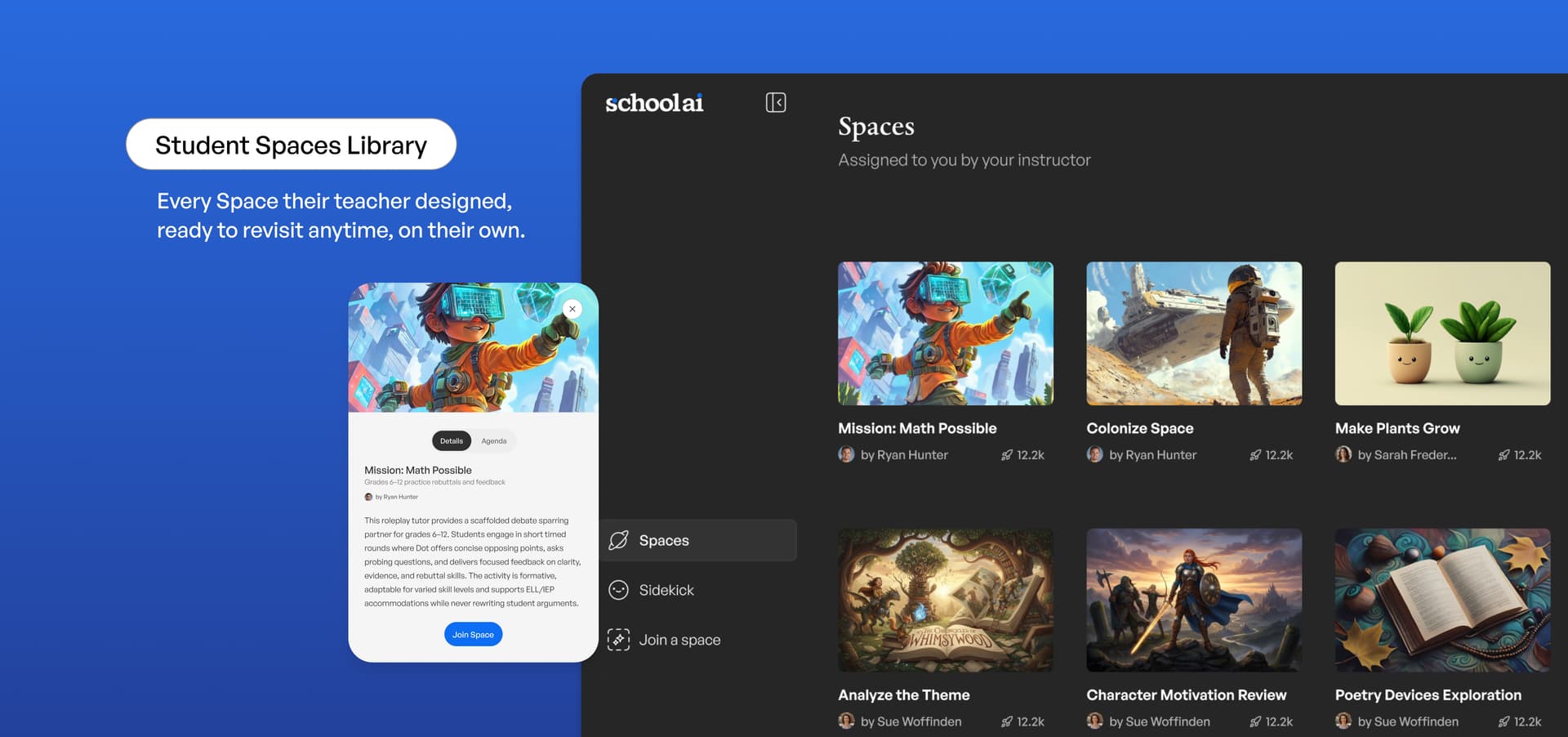
Sidekick → the student's always-available AI-tutor, tuned to their grade and their class.
-
Student Insights → teachers get a window into student independent work rather than a black box.
-
Spaces Library → a home for the Spaces their teachers build and share with them.
-
Student Uploads → students bring their own work, notes, and drafts into a conversation so the support is about what they're working on.
Put together, these tools give students real student agency over their own learning while teachers keep the visibility to guide them, and that pairing of agency with support is where real growth happens. The evidence behind this is why it matters. Observed critical thinking rose more than 28% among students using SchoolAI, and 93% of students using SchoolAI say they believe they can improve with practice. These findings validated with ESSA Level III.
Immersive Learning: richer Spaces, built faster
Teachers can now build more engaging Spaces in less time, and students can bring more of themselves into the Spaces.
What's new
-
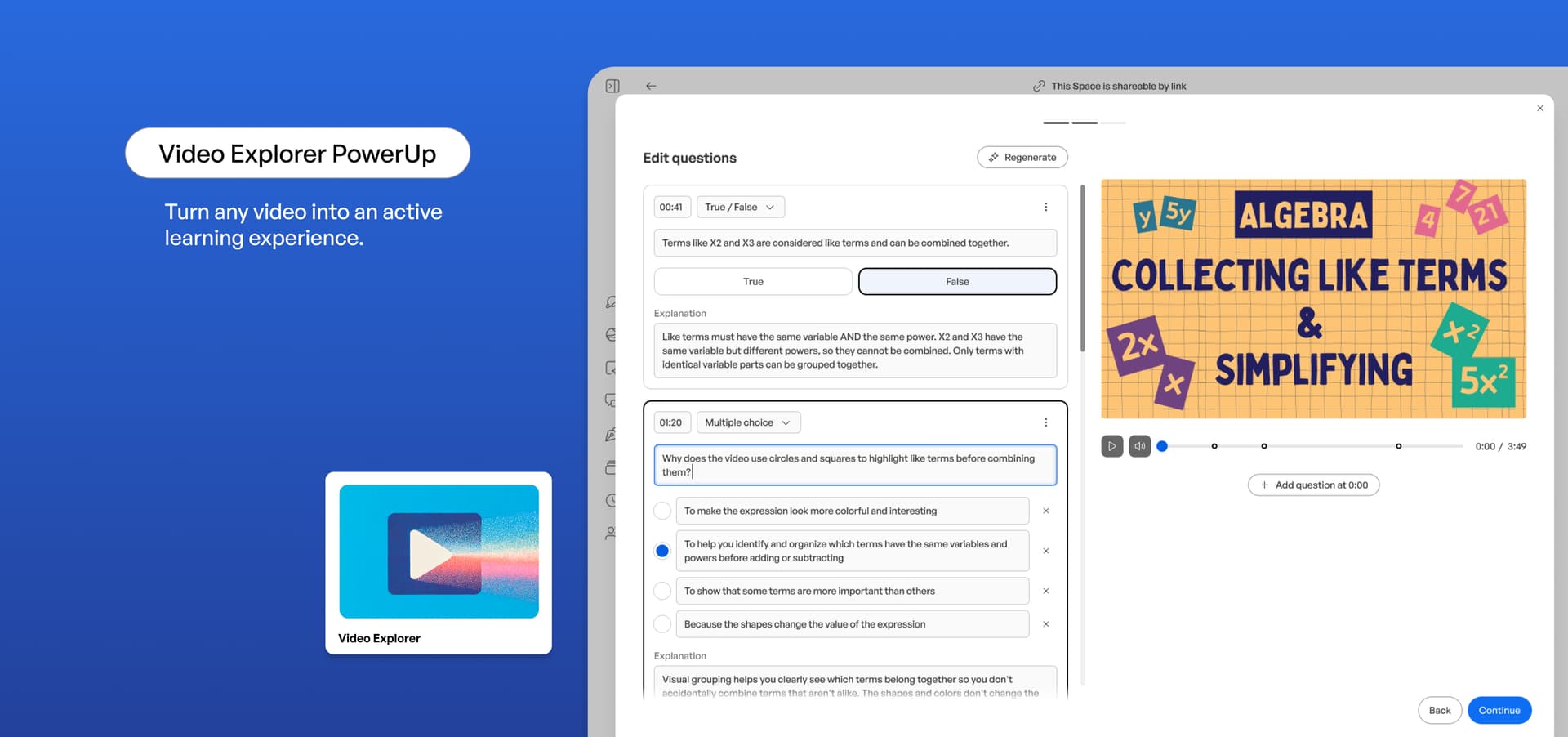
Video Explorer PowerUp → turns video into something students investigate and respond to, giving Spaces a whole new medium for learning beyond text.
-
Improved Space Creation workflow → cuts setup time so a teacher can stand up a strong Space between classes.
-
Student Uploads → learners drop their own material directly into a Space.
This is where the feedback loop gets tighter: our ESSA III validated research finds that 89 percent of students using SchoolAI report they receive better feedback from their teachers when using SchoolAI Spaces. Better material inputs means better teaching back out.

Get ready for the new year
The Back to School 2026 release gives districts more control, gives teachers sharper insight and more time, while giving students a learning space of their own with an adult always in the loop. Whether you're returning for another year or looking at SchoolAI for the first time, the best way to see what this means for your schools is to see it running on your own context.
Book a demo with our team, and we'll walk your district through exactly what Back to School 2026 means for your teachers and students before the first bell rings.
Transform your teaching with AI-powered tools for personalized learning
See how every student is doing, and know what to do next.