SchoolAI vs. teacher-facing AI tools: Grading, planning, and personalization with teachers in charge
Compare AI grading tools for teachers with supervised classroom AI that keeps teachers in charge of every grade.
Fely García López • Oct 8, 2026
Assessment & Learning Evidence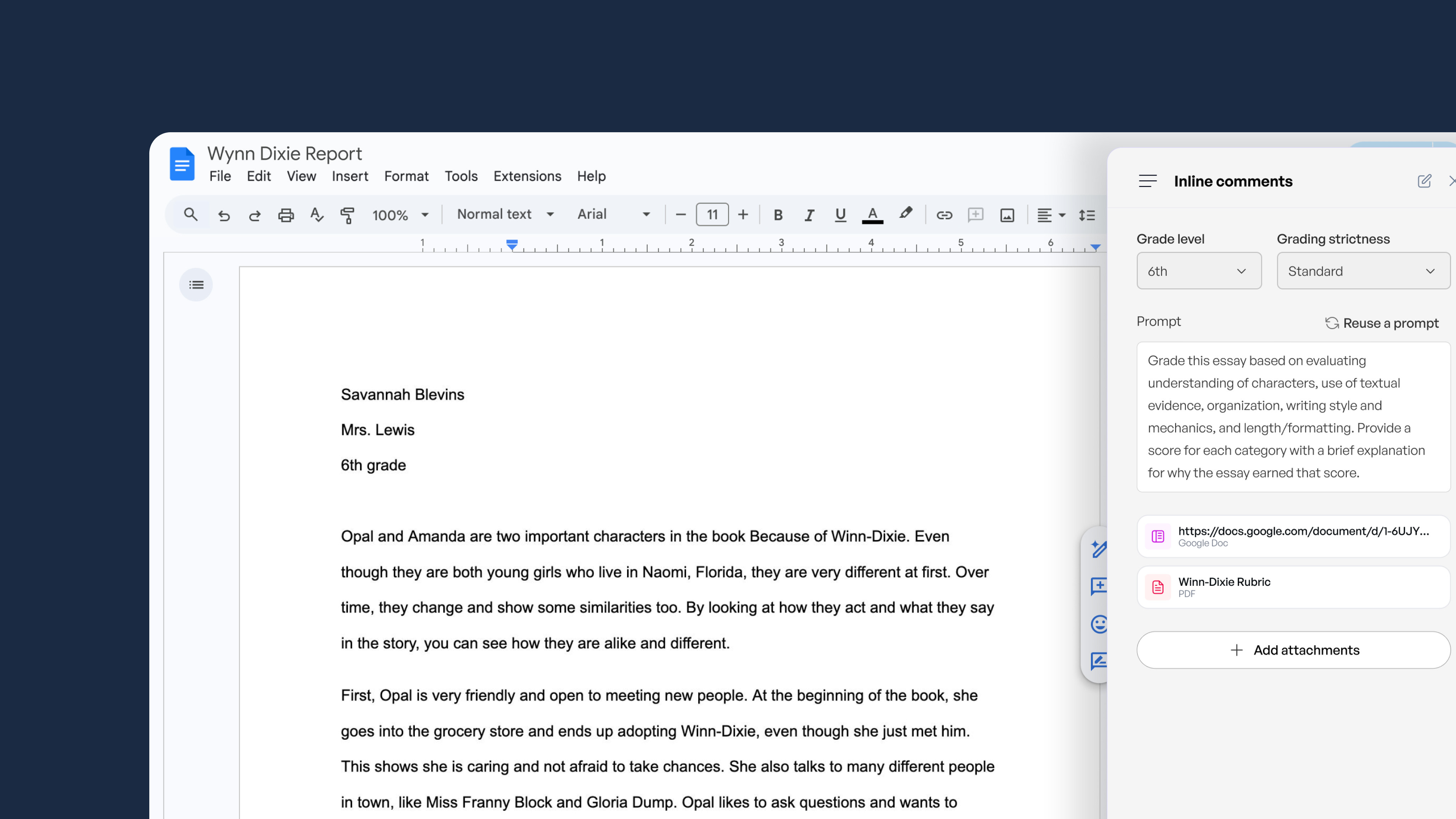
Spend ten minutes in a teacher forum and you will find the same two sentences sitting next to each other: “AI saved me four hours this week,” and “I have no idea what my students are actually doing with it.” That tension is real, and it is the honest place to start any conversation about AI grading tools for teachers. Some AI platforms are built to help teachers produce more, faster. Others are built to show whether students learned. Both are useful, they solve different problems, and the right fit depends on which problem your school is trying to solve. Here is how each type works, how grading stays teacher-led, what to ask about privacy and accuracy, and what personalization looks like once it reaches a real classroom.
Key takeaways
-
Tool libraries and connected classroom AI solve different problems. One produces materials, the other shows learning.
-
AI can draft a grade. A teacher should always decide it.
-
Hours saved is a useful number. It is not evidence that students met the standard.
-
Finished student work does not show you where a student got stuck. Real-time visibility does.
-
Before adopting anything, ask about privacy, bias, teacher override, and what families will be told.
What teacher-facing AI tools do well, and where they stop
Teacher-facing AI tools are built for prep, and they are good at it. Lesson plans, rubrics, quizzes, differentiated reading passages, family emails, first-draft feedback. Every major AI engine agrees that their core value is giving teachers back time, and teachers who use them say the same thing. There is real worth in having many options in one place instead of hunting across a dozen sites at 9pm. The tools that get named the best AI lesson plan generator usually earn it the same way: standards-aligned output, fast enough to go from a topic to a set of slides in seconds, and editable so a teacher can make it sound like herself.
Then the plan is done, and the hard part starts. Teacher AI lesson plan generators hand you a document, but they cannot see what happened in class. They do not know that four students never got past the first example, that one of them went quiet because the reading was demanding and the scaffolds she needed were not there, or that the whole second block needs a different entry point tomorrow. These tools produce no evidence of what students learned, so teachers end up stitching planning, delivery, and assessment back together by hand, across separate apps, on their own time. That is the gap, and it is worth naming before comparing anything. Evidence-based AI strategies for classrooms goes deeper on what the research supports here.
Tool libraries vs. connected classroom AI: Why more tools isn't the goal
Connected classroom AI is a shorthand worth defining, since it is less familiar than a tool library. It means one platform where the teacher designs the learning experience, students work inside it, and the teacher sees both the work and the evidence of learning as it happens. Planning, practice, and assessment stay joined instead of living in three different places.
Tool libraries
-
Dozens of separate generators, each producing one output: a plan, a quiz, a rubric, a newsletter. Teachers move between them and copy the results into their LMS.
-
Some include student-facing activities, but what comes back to the teacher is finished work, not the thinking that produced it.
-
Success is measured in teacher time saved on prep, which is a real win and an incomplete one.
Connected classroom AI
-
The teacher designs one guardrailed experience (for example, a SchoolAI Space) that holds planning, student practice, and assessment together.
-
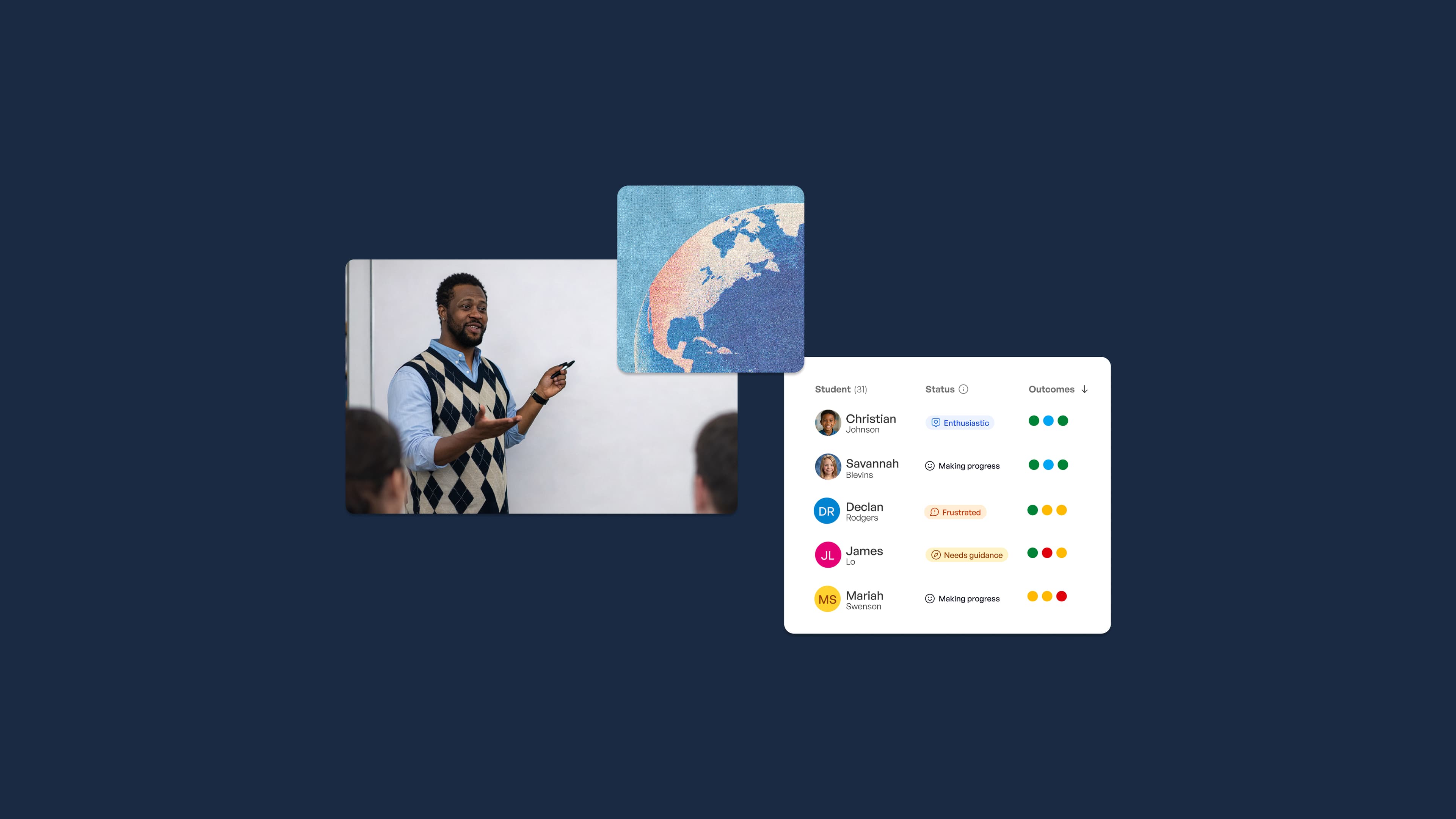
The platform shows each student's AI conversation while it is happening, so a teacher can step in during the lesson instead of finding out on Friday.
-
Real-time mastery data answers a different question: not how much time was saved, but whether students reached the learning goal.
These two kinds of platforms are not competing for the same job. One helps you produce materials. The other helps you see learning. Districts get into trouble when they buy the first and expect the second.
How AI grading tools for teachers should work with the teacher in the loop
Grading support should speed up feedback, not replace professional judgment. Most tools that rank well lead with rubric scoring, essay feedback, and connections to Google Classroom or Canvas. Very few of them say plainly who makes the final call. That answer should be obvious before a district signs anything, and it should always be the teacher. Here is what that workflow looks like in practice.
1: The teacher sets the rubric and criteria
The AI scores only against standards the teacher defines, which keeps grading tied to the learning goals of the actual lesson rather than a generic scoring scheme.
2: AI drafts scores and feedback
The AI proposes rubric-aligned scores and written comments for each submission. On a stack of essays or open-ended work, this is where most of the time comes back. SchoolAI's essay grading assistant follows exactly this model: AI suggests, teacher reviews. What makes the comments useful is the same thing that makes constructive feedback work from any source, specificity the student can act on.
3: The teacher reviews, edits or overrides every grade
No grade reaches a student without teacher approval. Teachers change scores and rewrite comments wherever what they know about a student matters more than what the rubric caught, which is often.
4: Students get feedback faster
Returning work in a day instead of two weeks means students can revise while the lesson is still fresh in their minds. That is the real learning benefit of faster feedback loops.
5: Class-wide patterns shape the next lesson
The AI flags the misconception twelve students share, so grading becomes planning. Those results feed into mastery data and real-time formative assessment instead of sitting inside a standalone grading app where nothing else can reach them.
Questions to ask any AI platform before you adopt it
These questions are what separate AI grading tools for teachers that a district can approve from the ones that stall in review.
Is student data protected?
- Ask for the baseline in writing: SOC 2 certification, FERPA and COPPA compliance, and a stated policy against training AI models on student or teacher data. SchoolAI publishes its FERPA, COPPA, SOC 2 Type 2, and ESSA Tier 3 status openly, and any vendor should be willing to do the same.
Can you see every student-AI conversation as it happens?
- Finished work tells you where a student landed, not where he got stuck. Real-time visibility lets a teacher correct a misconception during the lesson, while it still costs one minute instead of one reteach.
Can teachers set what the AI will and won't do for each class?
- Teacher-set guardrails decide whether the AI gives hints or answers, whether it stays on the lesson's topic, and how it responds to a student who is trying to get around the work. The teacher knows her class. The settings should reflect that.
Does time saved come with proof that students learned?
- Hours saved on prep is worth having. It is not an outcome. Ask what mastery data the platform gives you and whether it maps to the standards you are accountable for.
How accurate is it, and has it been checked for bias?
- AI scoring drifts on creative writing, on multilingual students, and on any answer that is correct in an unexpected way. A student writing in her second language often shows strong reasoning inside developing syntax, and a scoring model can read that as a weaker response. Ask whether the vendor runs bias audits, and keep teacher review of every grade as the safeguard that actually holds.
What do parents see, and what does it cost?
-
Families deserve to know that AI assists with feedback and that a teacher makes every final grade.
-
Compare per-teacher or per-student against district pricing, count the training time honestly, and confirm that students with disabilities get the same access as everyone else.
How AI for personalized learning experiences works in the classroom
The mechanism is simpler than the phrase suggests. The teacher sets the learning goal and the guardrails. Each student then works through an AI experience that adjusts hints, pacing, and difficulty based on what that student actually says and does. The teacher watches progress as it happens and steps in where they are needed. Personalization runs inside the teacher's plan, not instead of it, which is the difference between a tool that supports instruction and one that quietly replaces it. Personalized learning plans work the same way when they are built well.
For example, imagine a 7th grade math class working on proportional relationships. Every student is held to the same standard. One gets a worked example, another gets a harder problem set, a third gets the prompt restated in simpler language without the math being watered down. Meanwhile, the teacher sees three students stalling on the same step and pulls them into a small group before the period ends. Scope is part of why this works. In a 2025 Dartmouth study, medical students using an AI assistant limited to their vetted course materials reported more trust in it than in a general chatbot, largely because they knew where the answers came from. The same holds in a classroom: students work differently with an AI that belongs to their lesson. Differentiated formative assessment is what turns that into instructional decisions.
The plan is just the start
Most teacher AI tools stop once the output is made. SchoolAI lets students learn in teacher-designed, guardrailed AI experiences, while you see real-time mastery data for every student.
Choosing the right mix of AI tools for your classroom or district
-
Use a tool library when the need is quick, one-off prep. Worksheets, a rubric draft, a translated family letter. No shame in that, it is real work.
-
Use connected classroom AI when you need to see learning and act on it during the lesson. Interactive tutoring and instant feedback hold attention in a way a static worksheet cannot, and AI tutoring at scale shows what that looks like across a school.
-
If you lead a district, compare adoption and mastery data, not tool counts. Classroom-level data tells you which teachers are actually using the platform and whether students are moving.
-
Plan the rollout before you scale it. Start with a small group of teachers, let them share what worked, and set clear AI-use expectations early. Teachers trust what their colleagues have tried.
Keep teachers in charge of AI with SchoolAI
Producing materials faster helps, but it is not the whole job. What schools still need is a way to see and steer how students learn after the plan is written, and that is the part most tools leave to the teacher to solve alone. SchoolAI gives students classroom-ready AI inside teacher-designed, guardrailed experiences built in Spaces. Mission Control shows every student interaction in real time, and Dot helps teachers draft feedback and rubrics without handing over the decision. Teachers and leaders get mastery data showing whether students are reaching the outcomes that matter, which is exactly the piece planning and grading tools leave out. Request a demo to see what your students can do with AI, and what your teachers can create with it.
Frequently Asked Questions
Yes, when combined with clear rubrics and human oversight, AI grading tools provide reliable and consistent evaluations across a wide range of assignments. That said, theycan miss nuance in creative or unconventional work, and can misread thinking expressed in developing English. A teacher review of every grade is what keeps the result trustworthy.
That depends entirely on the vendor. Look for FERPA and COPPA compliance, SOC 2 certification, and a clear written policy against training AI models on student data.
• Look for a signed DPA, FERPA, and COPPA compliance, documented safety testing, evidence of bias auditing, and teacher monitoring tools • Vendor transparency, including how the AI makes decisions and what happens when something goes wrong, is as important as the feature list
Adaptive practice that adjusts difficulty as a student works, an AI tutor that gives hints instead of answers, and individualized feedback on a draft before it is graded are all good examples. In every case, the teacher should set the goal and the boundaries, and AI personalization should happen inside them.

About the author
Fely García López
Education Specialist at SchoolAI, Multilingual Educator
Fely spent 20 years in education before joining SchoolAI, most recently as Educator Innovation Lead at Microsoft, where she focused on bringing ed-tech tools into everyday teaching practice. She learned English as a young adult and knows what it feels like to sit in a room where the words move faster than you can hold them. That experience shapes how she works with schools today, focusing on language-aware instruction and practical AI integration that guides students toward their own answers rather than handing answers over.
Transform your teaching with AI-powered tools for personalized learning
See how every student is doing, and know what to do next.